
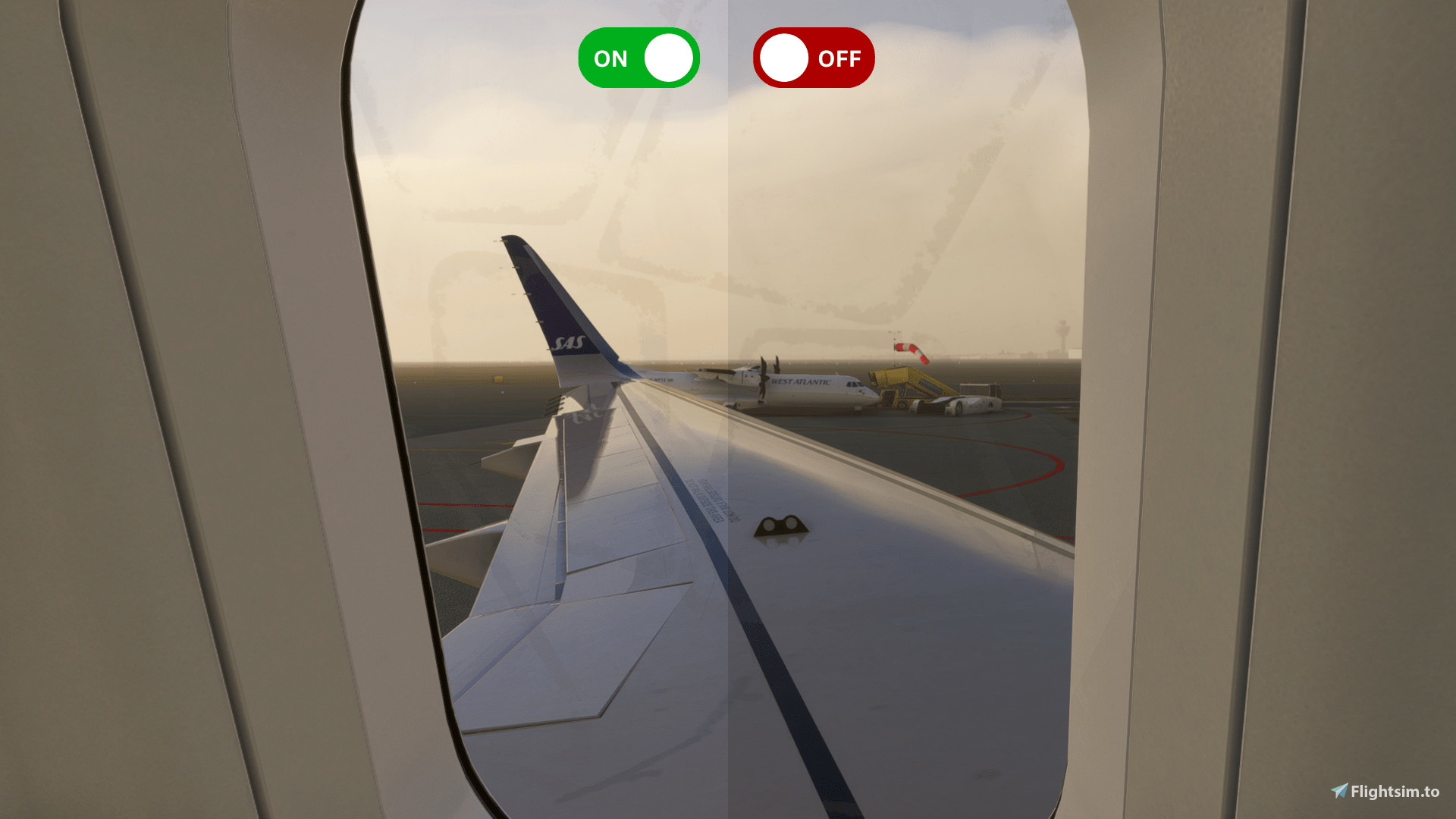
Description
If you like the addon, feel free to follow my tiktok https://www.tiktok.com/@elias.aviation.dk
If you want better views check out this addon: https://flightsim.to/file/84825/fbw-a380x-realistic-views-0-9
INSTALL
To install the addon, from steam, headover to the steam libary. From here go onto msfs2020 or msfs2024. Then press the settings icon, then properties, then installed files and finally hit browse.
When you've done that, go into my addon. Press "ultrarealstic_v1.01.1.1", then drop the file in there into the other folder from before.folder.
Now load the sim and it should work!
RESHADE
If you don't already, you need reshade installed from their website. https://reshade.me
Scroll down and download the latest version, without addons or with.
AMD GPU
If you have an AMD GPU, and would like to enchance the experience even more, you go into the AMD GPU software. Called "AMD Software: Adrenalin Edition". From here head over to "games", and find MSFS2020 or MSFS2024. On your right side scroll down until you find "Color". Then adjust to color settings to the settings below.
Temperature: 6500
Brightness: 12
Tone: -10
Contrast: 110
Saturation: 105 or 95 depending on your preference (I use 105)
NOTE: This addon is also compatible with NVIDA
If you have any questions feel free to reach my discord or make a comment on this post.
Discord: rep0z
Thank you for downloading!
Ultra Realistic Reshade Shaders v1
This add-on provides a set of ultra-realistic Reshade shaders designed to enhance the visual fidelity of Microsoft Flight Simulator. It includes detailed installation instructions for integrating the shaders into your simulator environment. Users are required to have Reshade installed prior to applying this add-on. Support is available through Discord for any questions or issues encountered during the setup process.

Historique des versions
Aucun historique de version disponible.
Connectez-vous pour participer à la discussion
Se connecterCommentaires(11)
about 5 hours ago
3 months ago
over 1 year ago
over 1 year ago
over 1 year ago
11 months ago
I just got back to this side after a while. If you still need assistance, correct. You need to install reshade for this, but its very easy.
over 1 year ago
over 1 year ago
almost 2 years ago
almost 2 years ago
over 1 year ago