

Description
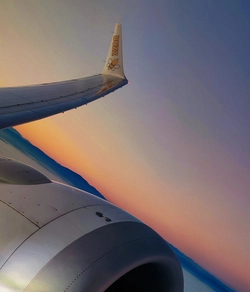
Replacement cameras config for iFly´s Boeing 737 MAX8.
Works for both FS2020 and FS2024!
If you want to change the default quickviews right/left in the virtual cockpit, instead of the default cabin views and be able to pan left and right with the joystick hat. Then use this mod. Cameras.cfg is edited on this matter, everything else is default. You won´t loose any cumstom views as long as you follow the installation instructions.
Installation
Make sure to backup the original first!
Put the included file cameras.cfg in:
...\Community\ifly-aircraft-737max8\SimObjects\Airplanes\iFly 737-MAX8
Fs2024:
Same as above then run MSFSLayoutGenerator or you can use the iFly Manager which has the option to rebuild the layout for 2024 under Manage Product.
iFly 737 MAX8 Better quickviews Pan left/right
This add-on provides a replacement camera configuration file for the iFly Boeing 737 MAX8 in Microsoft Flight Simulator. It modifies the default quickviews to enhance user control, allowing smoother panning left and right using a joystick hat switch. Users are advised to back up the original configuration before installation.

Avis des utilisateurs
4 avis
Historique des versions
Aucun historique de version disponible.
Similaires
GSX Profile - LIMF Turin Caselle - Barelli
GSX Profile - LIMF Turin Caselle - Barelli provides detailed GSX PRO profiles for Turin Caselle Airport, featuring correct parking positions and passenger walking routes visible from the terminal. This add-on includes custom pushbacks, self-maneuvering stands, and a remote de-ice location. Users can easily install the profiles and enjoy a realistic airport experience, tested with popular aircraft models.
par cejoh
PMDG 737-6/7/8/900 EFB/UFT custom Boeing/IPAD wallpaper and app icons VER3. FS2020/FS2024
Customize your PMDG 737-600/700/800/900 UFT with this mod featuring wallpaper and icons for the Electronic Flight bag and Performance Tool. Choose between different icon backgrounds or a clean look. Enhance your virtual cockpit experience with these easy-to-install modifications.
par cesjoh
GSX Profile - LIBR Brindisi - Supersonic
This GSX PRO profile is designed for LIBR Brindisi Casale Airport, featuring a fully updated version 1.4 that accommodates a redesigned main ramp. The add-on includes custom pushback routes for all stands and passenger walking routes to enhance realism. Users are advised to reposition their aircraft upon spawning at a gate for optimal functionality. Installation requires moving the provided .ini file to the specified directory.
par cejoh
GSX Profile - EDLW Dortmund - Aerosoft
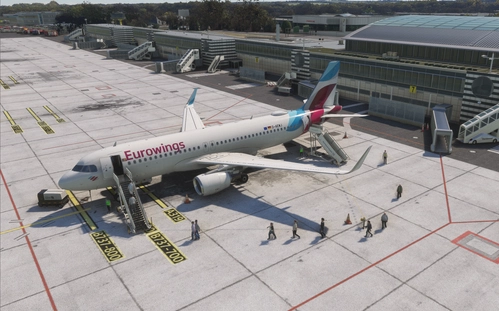
This GSX Pro profile is designed for the Aerosoft EDLW Dortmund scenery, requiring GSX Pro version 3.9.4 or later. The profile offers a complete overhaul with custom vehicle placements, pushback procedures, and walking routes for all stands. Stands 0-4 feature GSX VDGS APIS integration, while stands 5-12 include tailored push-in operations. The addon is tested with both PMDG 737 and Fenix 320 aircraft.
par cejoh
Connectez-vous pour participer à la discussion
Se connecterCommentaires14
This fixes my only major nit about this plane. Thanks!
I am now running FS2024 (ONLY) so I will update the description and so on in a couple of days.
Either use MSFSLayoutGenerator or you can use the iFly Manager which has the option to rebuild the layout for 2024 under Manage Product.
Note that I haven't been able to confirm this myself though since I'm only using Fs2020!