
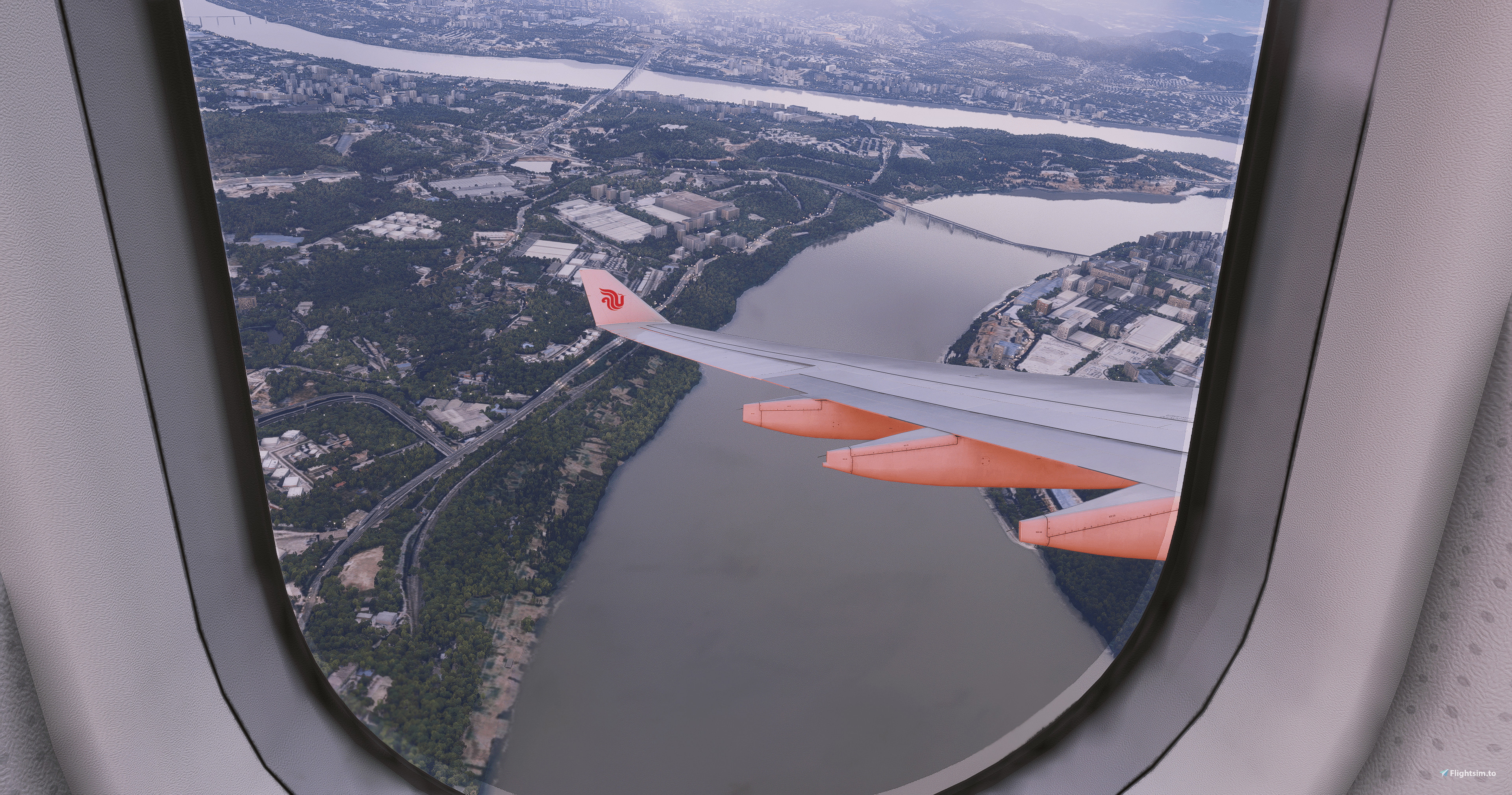
Description
Hey there! I have attempted to create a reshade that enhances the visual atmospherics and colours of the simulator for a more immersive experience based on how I see fit, if you like what you see from the screenshots, please feel free to try it out yourself and enjoy!!
Easy Installation (please read before you ask):
Download Reshade from reshade.me.
Run the installer and select Microsoft Flight Simulator 2024 (.exe file in the sim’s directory).
Choose DirectX 10/11/12 when prompted.
Select all shaders (required) and complete the installation.
Place the Sky 2024 Preset file into the same folder as the simulator’s .exe.
Launch the simulator, press Home to open Reshade, and complete the tutorial (if it appears).
In the Reshade menu, click the preset dropdown at the top, select Sky 2024.ini, and apply it.
Commentaires(5)
Connectez-vous pour participer à la discussion
Se connecterover 1 year ago
over 1 year ago
over 1 year ago
over 1 year ago
Personally it only takes 1fps and the latency is negligible, you shouldn't notice a difference, however, that may depend on your specs. Personally I am operating on an RTX 3080 and Ryzen 5700 X. That being said, I did ask a few people of varying specs to test the preset prior to release and none of them mentioned a performance hit so rest assured you should have a smooth experience with the preset, however as i say, it varies for everyone so please feel free to leave your feedback!
MSFS (Sky) 2024 reshade preset
This add-on provides a reshade preset specifically designed for Microsoft Flight Simulator 2024, aimed at enhancing visual atmospherics and color fidelity for a more immersive flying experience. The installation process involves downloading Reshade, selecting the appropriate simulator files, and applying the preset within the Reshade interface. Users can expect improved visuals based on the creators vision, as illustrated in the accompanying screenshots.

More Information
Historique des versions
Aucun historique de version disponible.
Similaires
Custom Views for the Fenix Extension Pack A321
This add-on features custom camera views designed for the Fenix extension pack A321, including a variety of cockpit and wing perspectives. Instructions for installation are provided, specifying file locations for both standard and Game Pass users. The custom views enhance the virtual flying experience by offering diverse options for cockpit and exterior visibility.
par Cloud_SV
Custom Views for the Fenix A319
This add-on offers a selection of custom wing and cockpit views specifically designed for the Fenix A319 expansion pack (CFM/IAE) in Microsoft Flight Simulator. Users can easily install the mod by copying the provided CFG file to the designated aircraft directory. The add-on is intended for Game Pass players as well, with alternative file paths included for installation.
par Cloud_SV
Camera pre-set for Fenix B2
Custom cameras preset for the Fenix A320, offering a range of cockpit and wing views. Easily install by downloading and copying the CFG file to the specified directory in Microsoft Flight Simulator. Specifically designed for Gamepass players as well. Enjoy immersive views with this add-on!
par Cloud_SV
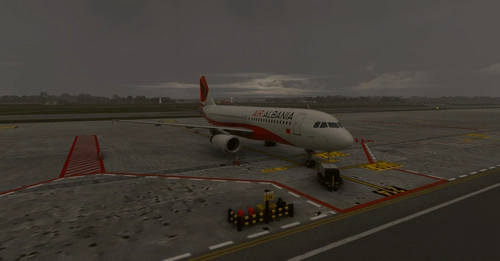
Sky 2020 Reshade Preset for MSFS 2020
The Sky 2020 Reshade Preset for MSFS 2020 offers an enhancement to the simulators visual atmospherics and color palette, designed to provide a more immersive flying experience. This add-on utilizes Reshade technology to adjust graphics settings based on the creators personal vision. Installation is straightforward, requiring users to follow a series of steps to properly integrate the preset into their simulator. Enjoy a transformed visual experience on your flights with this easy-to-use preset.
par Cloud_SV
over 1 year ago