
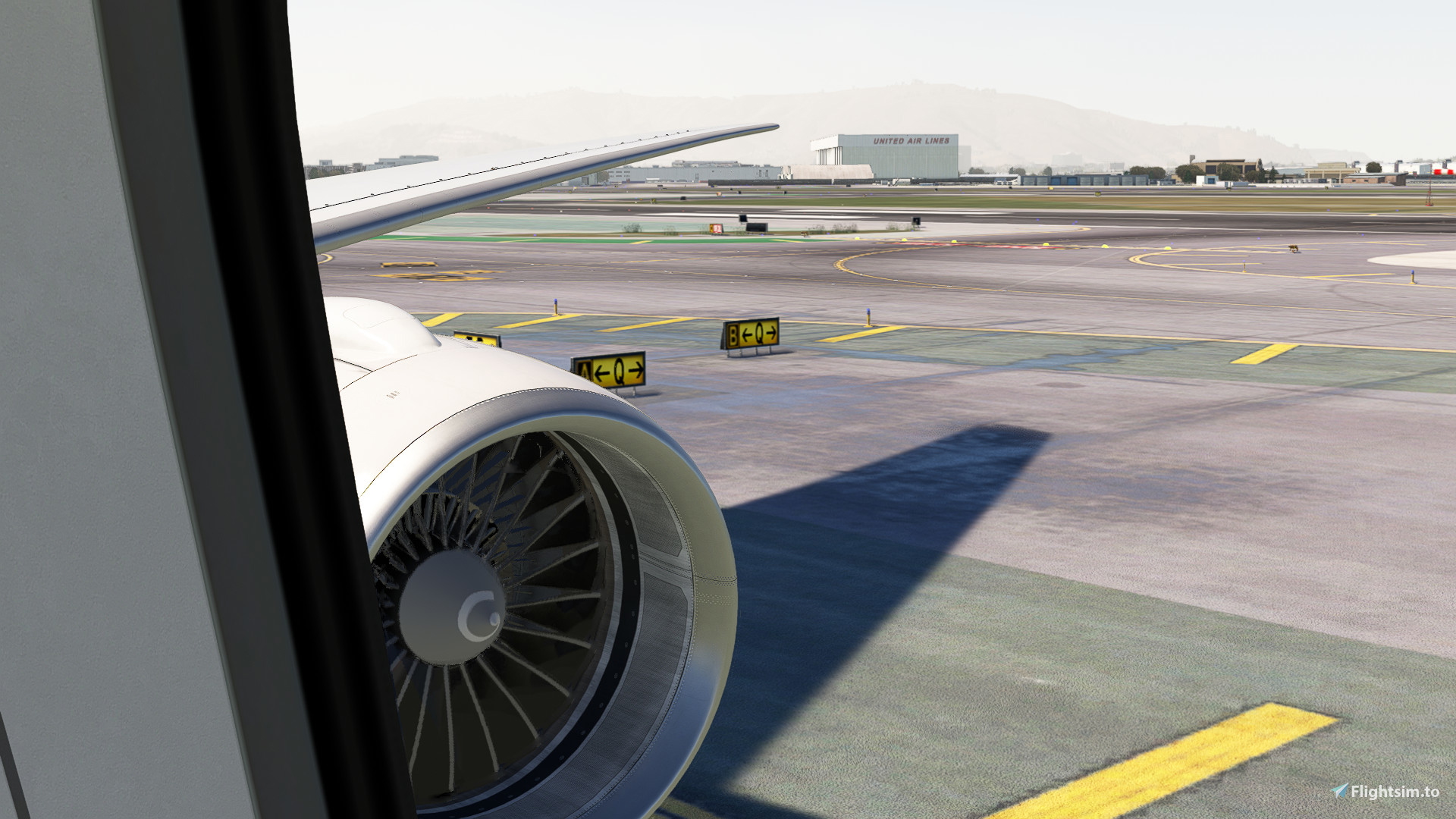
Description
Custom camera 0 - Pilot Eye based on SOP
Custom camera 1 - FMC
Custom camera 2 - Radio Panel / Wing
Custom camera 3 - Tablet
Custom camera 4 - Left Wing View
Custom camera 5 - MCP
Custom camera 6 - Right Wing View
Custom camera 7 - Left Engine View
Custom camera 8 - Overhead
Custom camera 9 - Right Engine View
Locate the MSFS main directory where the "Airplanes" folder is located. This folder contains subfolders for each airplane that has custom camera views. Inside each of these subfolders, you will find one or two files (cameras.cfg & state.cfg) for each airplane.
Make a backup of any old files that might already exist in the subfolders. This way, if there are any issues, you can easily revert to your old camera views.
Installation: Drag and Drop
Microsoft Store:
C:\Users\[UserName]\AppData\Local\Packages\Microsoft.FlightSimulator_8wekyb3d8bbwe\LocalCache\SimObjects\Airplanes
Steam:
C:\Users\[UserName]\AppData\Roaming\Microsoft Flight Simulator\SimObjects\Airplanes
Custom Camera Views for PMDG 777-200ER
This add-on provides custom camera views for the PMDG 777-200ER, enhancing flight simulation with a variety of perspectives. It includes specific views for pilot functions such as the FMC, radio panel, and overhead controls, as well as external wing and engine views. Installation involves simple drag-and-drop actions into the MSFS "Airplanes" directory, with a backup recommendation for existing files.

Avis des utilisateurs
1 avis
Historique des versions
Included State.CFG file as users requested
Connectez-vous pour participer à la discussion
Se connecterCommentaires(9)
about 1 year ago
about 1 year ago
about 1 year ago
about 1 year ago
about 1 year ago
about 1 year ago
over 1 year ago
over 1 year ago
over 1 year ago