
Description
Keep your Microsoft Flight Simulator clean, optimized, and running smooth with MSFS Universal Cleaner. This powerful and user-friendly .bat script helps you automatically remove leftover cache, temporary files, and shader folders from MSFS2020 and MSFS2024 installations — compatible with both Microsoft Store and Steam versions.
It also includes cleanup for NVIDIA and AMD shader cache folders, ensuring your simulator and GPU work at peak performance.
Perfect for troubleshooting common sim issues like stutters, long loading times, broken scenery, or outdated shader data. Lightweight, safe, and easily customizable.
🧼 Features:
Cleans MSFS temp/cache, scenery cache, shader folders
Clears Nvidia and AMD GPU shader caches
Works with Store and Steam installs
Windows 10 & 11 compatible
Lightweight .bat file — no installation needed
Created with love for the MSFS community ❤️
🛠️ Instructions:
Just right-click and Run as Administrator. Done!
📄 Descripción detallada (Español)
Mantén tu Microsoft Flight Simulator limpio, optimizado y funcionando sin problemas con MSFS Universal Cleaner. Este potente y sencillo script .bat elimina automáticamente archivos temporales, cachés sobrantes y carpetas de shaders tanto en MSFS2020 como en MSFS2024, compatible con versiones de Microsoft Store y Steam.
También limpia la caché de shaders de NVIDIA y AMD, ayudando a que tu simulador y GPU funcionen con el mejor rendimiento.
Ideal para resolver problemas comunes como tirones, tiempos de carga largos, errores de escenarios o datos gráficos desactualizados.
🧼 Características:
Limpia carpetas temporales, de caché y shaders de MSFS
Borra la caché de shaders de Nvidia y AMD
Compatible con Store y Steam
Compatible con Windows 10 y 11
Archivo .bat liviano — sin instalación
Hecho con cariño para la comunidad de MSFS ❤️
🛠️ Instrucciones:
Haz clic derecho y elige Ejecutar como administrador. ¡Listo!
MSFS Universal Cleaner
MSFS Universal Cleaner is a .bat script designed to optimize Microsoft Flight Simulator installations by automatically removing temporary files, leftover cache, and shader folders for both MSFS2020 and MSFS2024. Compatible with Microsoft Store and Steam versions, it also cleans NVIDIA and AMD shader cache folders to enhance performance. This lightweight tool addresses common issues such as stutters and long load times, ensuring a smoother simulation experience. Easy to use with no installation required, it is a practical solution for maintaining your simulators efficiency.


Avis des utilisateurs
7 avis
Historique des versions
Aucun historique de version disponible.
Similaires

LatinVFR A340-300 – aircraft.cfg | engines.cfg | flight_model.cfg (Drag & Drop / Addon Linker)
This add-on offers modified configuration files for the LatinVFR A340-300 aircraft in Microsoft Flight Simulator 2020. It includes adjustments to the aircraft.cfg, engines.cfg, and flight_model.cfg to enhance realism in weights, engine performance, and flight dynamics. The package ensures corrections without overwriting original files, allowing for safe integration into the simulator. It is specifically designed for use with MSFS 2020 and the LatinVFR A340-300.
par OzzTroyer
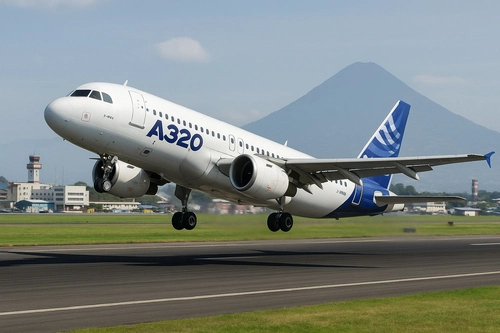
LVFR-A320ceo Real Deal
The LVFR-A320ceo Real Deal Enhancement Pack enhances the realism of the LatinVFR A320ceo family, including CFM, CFM Sharklets, IAE, and IAE Sharklets variants. This add-on includes tuned configuration files that refine flight dynamics, systems logic, and performance metrics to closely mimic real-world operations of the A320ceo. It is fully compatible with MSFS 2020, allowing for easy installation by simply dragging and dropping into the Community folder. The enhancement operates independently without overwriting any original files.
par OzzTroyer
Connectez-vous pour participer à la discussion
Se connecterCommentaires(25)
7 months ago
about 1 year ago
12 months ago
about 1 year ago
over 1 year ago
Overall incomplete and rather useless
about 1 year ago
over 1 year ago
over 1 year ago
over 1 year ago
over 1 year ago
over 1 year ago
over 1 year ago
over 1 year ago
about 1 year ago
over 1 year ago
over 1 year ago