
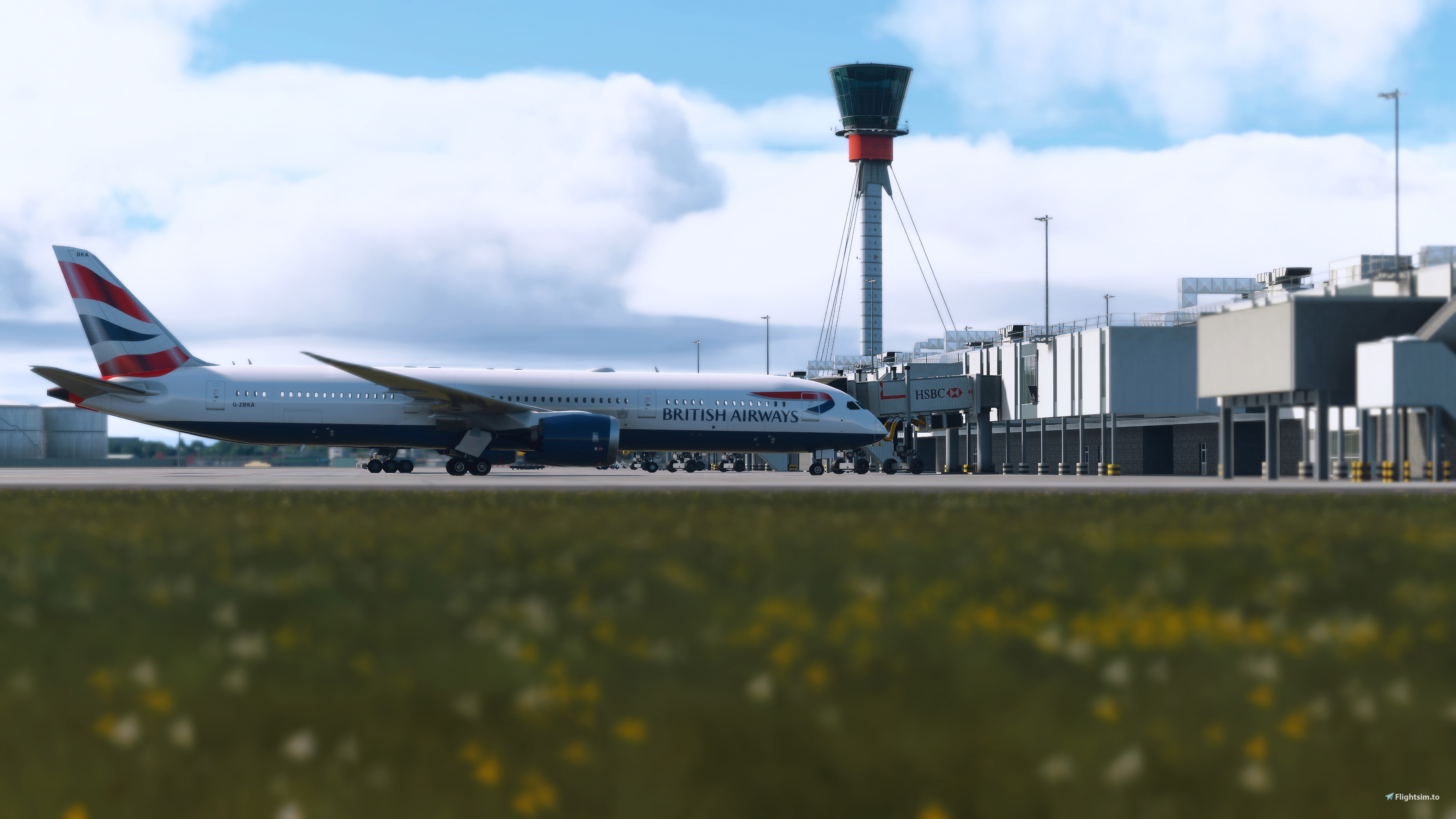
Description
This is a custom ReShade preset created for Microsoft Flight Simulator 2024. It’s tailored to my taste, focusing on improved lighting, colour depth, and overall visual clarity to enhance immersion without overdoing the effects.
⭐Please Rate my Work! (Feedback is important)⭐
⚠️❗This is a preset for the free ReShade plugin. You need to have the plugin installed for it to work. It can be downloaded from here.
https://reshade.me/❗⚠️
✅ Designed for MSFS 2024
✅ Tested in MSFS 2020
🎨 Balanced for natural lighting and realism
💻 Lightweight – minimal FPS impact
Included Effects:
Clarity
Tonemap
AmbientLight
HDR
Adaptive Sharpen
Installation Instructions:
Download and install ReShade for MSFS 2024.
Place the .ini preset file into the MSFS main directory (where your FlightSimulator.exe is).
C:\XboxGames\Microsoft Flight Simulator 2024\Content
or
C:\XboxGames\limitless\Content
Launch the simulator and open the ReShade menu (default key: Home).
Select this preset from the list and enjoy!
Feel free to tweak it to your liking. If you like it, please consider a small donation!
Reshade Preset - FSmagyarul
This add-on features a custom ReShade preset. It aims to enhance visual clarity, lighting, and color depth while maintaining a realistic presentation and a minimal impact on frame rates. The preset includes effects such as Clarity, Tonemap, Ambient Light, HDR, and Adaptive Sharpen, allowing for an immersive experience. Installation requires downloading ReShade and placing the preset file in the simulators main directory.

Historique des versions
Small update on shadows, to achieve accurate lighting
Similaires
Custom wing views Horizon Simulation B787-9
Unlock new internal window views for the Horizon Simulations Boeing 787-9 with this custom wing view add-on. Choose between two variants and easily install the views for a unique in-flight experience. Access the new views under the camera options or through specific key combinations.
par FSmagyarul
inibuilds A300-600 FSM Virtual Airlines Cargo Livery
This add-on features the official livery for FSM Virtual Airline, designed specifically for the Fenix A320 models with CFM and IAE engines in Microsoft Flight Simulator 2020 and 2024. It includes registration numbers HA-XCA, HA-XCB, and HA-XCC. Installation is straightforward by extracting the contents to the community root folder.
par FSmagyarul
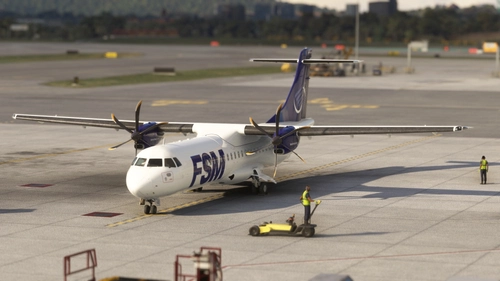
ATR72-600 FSM Virtual Airlines Livery
This add-on features a custom livery for the ATR72-600, designed specifically for FSM Virtual Airlines. Compatible with Microsoft Flight Simulator 2020 and 2024, it includes aircraft and registration numbers HA-FAZ, HA-FBA, and HA-FBB. Installation is straightforward, requiring extraction of the ZIP file to the community root folder.
par FSmagyarul
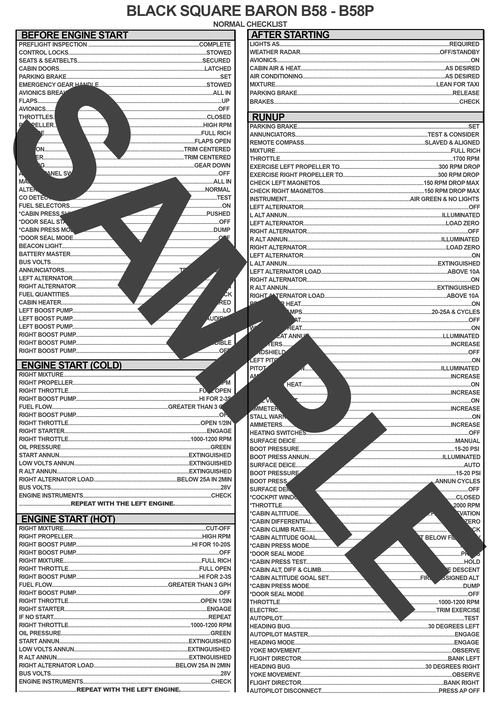
Black Square Baron B58-B58P Normal Checklist
This add-on provides a comprehensive checklist for the Black Square Baron B58 and B58P models in Microsoft Flight Simulator. The checklist is based on the official Black Square manual to ensure accuracy and completeness. It is designed to assist with normal operation procedures of the aircraft. The checklist aims to support realistic and structured flights with the Black Square Baron.
par FSmagyarul
Connectez-vous pour participer à la discussion
Se connecterCommentaires(16)
about 1 year ago
about 1 year ago
https://i.ibb.co/MxtwGY3Y/2025-10-18-16-57-58-Greenshot.jpg
about 1 year ago
over 1 year ago
over 1 year ago
over 1 year ago
over 1 year ago
over 1 year ago
The reason is: I received a few reports on 1080p, where pictures were grainy.
(No issue on 4K monitors.)
over 1 year ago
over 1 year ago
You can select the "gamelaunchhelper.exe" this does the same thing.
I also experienced this and selected the "gamelaunchhelper.exe"
note: I linked a video in the description, and you can check the installation. But the language of the video is Hungarian.
over 1 year ago
over 1 year ago
Re Settings -> Overly Key: in MSFS2024 or Windows 11? Searched in both to no avail.
over 1 year ago
https://reshade.me/
over 1 year ago
over 1 year ago
Two other users and I tried it, and it works fine for us.
However, if you'd like to reassign the key or choose a different one, you can do so under Settings -> Overlay Key.
over 1 year ago
https://reshade.me/