
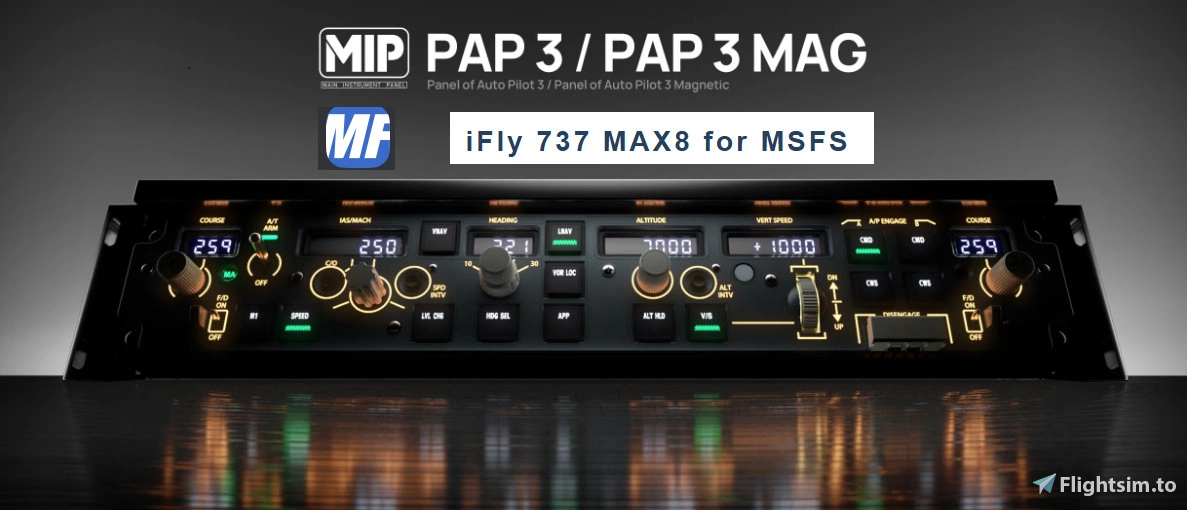
Description
Project is discontinued - you will find the great actual version from Level7 here: https://de.flightsim.to/file/94175/winwing-pap3-ifly-737-max-8-mobiflight-profile
This mobiflight profile can used by everybody who does not want to use WinwingSimAppPro.
Included all needed keybinds for the PAP3 for the iFLY 737 MAX:
- Course Left + Right
- IAS/Mach, Heading, Altitude, V/S, BankAngleLimit
- All buttons, knobs and lights
- Background light (Main Panel CA)
Remind:
Due to the missing correct LVars from iFly this profile only works with additional "Add Lvar for iFly 737 Max8" from FLYINGTOMO addon.
Requirements:
- Mobiflight Beta (10.5.3.7)
- Add Lvar for iFly 737 Max8 (0.7.1.)
How-To
- Load the .mfproj into Mobiflight
- Map your correct PAP3 device to the profile and save.
- Before flight: Open AddLvarTrayapp.exe for background working
To-Do:
- Mach Dots (Shows e.g. 077 insted 0.77)
- PAP3 Mag will be added
Many thanks to Flyingtomo for adding the missing values for correct working of this profile.
Dépendances
iFly 737 MAX - WinWing PAP3 - Mobiflight Profile
This add-on provides a Mobiflight profile for the WinWing PAP3 specifically designed for the iFly 737 MAX. It includes essential keybinds such as Course, IAS/Mach, Heading, Altitude, V/S, and various controls for buttons, knobs, and lights. The profile requires Mobiflight Beta and the "Add Lvar for iFly 737 Max8" addon to function properly, ensuring compatibility with the simulator. Additional planned features include improvements for Mach display and the PAP3 magnetometer.

Contributeurs

Avis des utilisateurs
4 avis
Historique des versions
Aucun historique de version disponible.
Similaires

SimPixels EDLV GSX Profile
This add-on provides a GSX profile specifically designed for the Sim Pixels EDLV Weeze Niederhein scenery. It features custom vehicle placement and pushbacks at the gates, along with ground handling services by Ryanair and Lorsch. The profile is tailored for specific aircraft stop positions based on the A320 and 737-800 models and includes ramp assignments for only nine gates. Compatibility is noted for version 1.0.1.
par SirTakis92
Davor Puljevic's LDZD GSX Profile
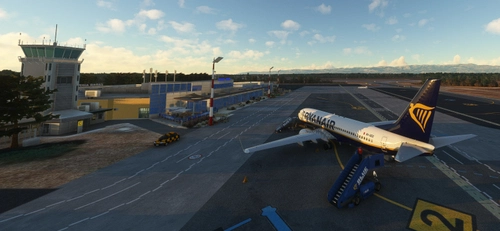
This add-on provides a GSX profile for Davor Puljevics LDZD Zadar scenery, featuring custom vehicle placements at gates and ground handling operations by Croatia Air, Ryanair, and Swissport. It includes accurate stop positions tailored for A320 and 737-800 aircraft, without pushbacks or general aviation services, focusing solely on Ramp 1-13. The profile is compatible with runway 03/25 for MSFS2020.
par SirTakis92
Connectez-vous pour participer à la discussion
Se connecterCommentaires9
Again, tks for this great profile :)
PS: I can't replicate the issue now... maybe was just a fluke?
I also added my A/T disconnect button on the joystick to trigger the solenoid (it's in the output section) to off, because this doesn't happen automatically. Maybe you can add that in a more general way (like intercepting the A/T disconnect command send to MSFS), because the A/T disconnect button is obviously not part of the PAP itself.
For the A/T disco I have an idea and update it soon.
Also the add_ifly_vs_blank isn't working correctly. I've switched this over to the LED on the V/S button (if LED is on, VS is shown and viceversa), which does the job just as good.