

Description
This tool is designed to safely and thoroughly clean your computer's shader cache.
The unique feature of Shader Cache Deep Cleaner is its fully automated process. While many other tools require you to manually adjust settings, restart your computer, and then delete the files, this tool handles everything for you. With just a single click, you initiate a process that manages everything: from preparation and the mandatory reboot to the final cleanup and the correct reactivation of the cache.
Why should you clean your shader cache?
Over time, or after updating your video drivers, the stored shader cache can become corrupt or outdated. This can lead to graphical artifacts ("glitches"), stuttering, or reduced performance in games and simulators. Cleaning this cache forces the computer to rebuild it cleanly, which often resolves these issues.
How does it work?
The tool operates in two phases to ensure that all files can be deleted safely.
Phase 1 (Before the reboot): Prepares the system. The tool temporarily disables the shader cache and schedules a cleanup task to run after the next restart.
Phase 2 (After the reboot): As Windows starts up and before the cache files are in use, the tool performs the actual cleanup. Afterward, the shader cache is re-enabled, and the tool cleans up after itself.
Once the cleanup is complete, a pop-up will appear with the results.
This will show you how many files were moved and how much disk space was freed up.
Click View Log to open the detailed log file for this session in Notepad.
Click Close to close the window.
Congratulations! The process is now complete. Your shader cache has been cleaned, and you can start your games or simulator again.
----------
For information:
Some users are experiencing a virus warning. I want to reassure everyone that the tool does not contain a virus. This is a case of false positives from some antivirus programs.
The tool is flagged as suspicious because it has to intervene deeply in the system to properly clean the shader cache: It temporarily modifies a registry setting and uses the Windows Task Scheduler to perform the cleanup after a reboot. These actions are performed completely safely and restored to your original settings after rebooting. These are powerful features that some scanners (especially those with AI/heuristics) incorrectly flag as suspicious.
!!: I've since submitted the file to Microsoft for analysis as a false positive detection. It can take a few days to a week for Microsoft to update the false virus lists. After that, the message should disappear and the program should work smoothly. Because the virus scanner likely deleted the EXE file, we recommend reinstalling the entire tool from the zip file to your PC. Thank you for your patience.
Shader Cache Deep Cleaner
Shader Cache Deep Cleaner is a utility designed to automate the process of cleaning your computers shader cache. It operates in two phases: preparing the system and executing the cleanup after a reboot. By removing outdated or corrupt cache files, the tool aims to resolve graphical issues and improve performance in games and simulators. After completion, users receive a report detailing the number of files removed and disk space freed.


Avis des utilisateurs
5 avis
Historique des versions
Aucun historique de version disponible.
Présent dans des collections(1)




Similaires

OrangeBox TeleportPlus v2
Teleport Plus is a flight teleporter tool designed for Microsoft Flight Simulator 2024. Version 2.0 is a complete rewrite: no longer a browser-based tool, but a native desktop application with its own GPU-rendered map. The result is a tool that's noticeably faster, with an interface that's far more intuitive to use.
par FeGo
MSFS OrangeBox Recorder — Flight Recorder & Ghost Tool
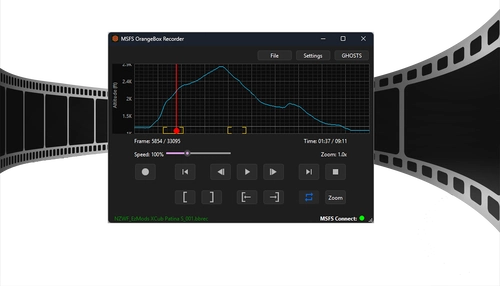
MSFS OrangeBox Recorder is a flight recording and ghost aircraft tool for Microsoft Flight Simulator 2024, designed for precise video and cinematic replay needs. It offers stable 60 FPS recording, flexible Mark-In and Mark-Out segments, and supports variable replay speeds. Users can spawn up to two independent ghost aircraft with any livery for formation or camera positioning. Features include import and export in popular formats, scalable interface, and control via global hotkeys.
par FeGo
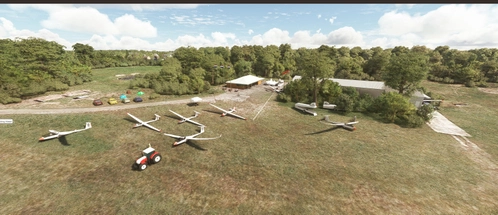
Gliding airfield Haamstede EHBU (EHHS / NL-0031) province of Zeeland - the Netherlands.
Gliding airfield Haamstede EHBU (EHHS / NL-0031) province of Zeeland - the Netherlands. With this I made an attempt to create an improved version of glider airport Haamstede than the standard version of Asobo. Although in my opinion the real ICAO code should be EHHS or NL-0031, Microsoft/Asobo has unfortunately opted for the incorrect ICAO code EHBU. THIS CANNOT BE ADJUSTED BY ME IN ANY WAY. You fly here in a typical Dutch landscape with lots of water and islands. You can make great thermal flights here and "hopping" from island to island is also one of the challenges. The airfield is now equipped with runways in various directions, so the wind direction can now be better taken into account when launching. The position of the grass courts has been chosen based on satellite images and photos found on Google. There is also a clubhouse with a terrace and a two-sided open hangar. Furthermore, some liveliness such as people, parked cars, static gliders and trailers. There are also 2 parking spaces for towing aircraft. Although I know the immediate area quite well, I am not completely familiar with the airport. I am therefore open to feedback and suggestions from, for example, club members and insiders to further adjust this airport to better detail. This addon uses the following scenery libraries and for the best experience it is therefore recommended to download it and place it in your Community folder:
par FeGo

MSFS2024-Worldmap Filter Addon Creator
The MSFS2024-Worldmap Filter Addon Creator provides a solution for customizing the world map experience in Microsoft Flight Simulator 2024. This tool allows users to set their preferred filters, such as airports, cities, and navaids, which are automatically applied each time the world map is opened. It operates by creating a safe "override" addon that preserves user settings without modifying the simulators original files, ensuring compatibility even after updates.
par FeGo
Connectez-vous pour participer à la discussion
Se connecterCommentaires(37)
9 months ago
Tks a lot
9 months ago
11 months ago
11 months ago
I submitted this tool to Microsoft some time ago for review and whitelisting.
Windows Defender, at least, no longer reports this.
11 months ago
11 months ago
11 months ago
about 1 year ago
MSFS uses DirectX, so only uses the DXCache folder.
X-Plane uses OpenGL, so it uses the GLCache folder.
about 1 year ago
sorry about that.
I see the folder(s) now but here's another question and don't get mad please, don't see that it's explained anywhere in read me file (maybe an idea for read me update?) - how to restore old shaders (where to put them back) ?
I see folder 'shaders' in my L:\XboxGames\Microsoft Flight Simulator 2024\Content\ folder
but I doubt it's the right place
edit:
found them. by reading the log file and it's in
C:\Users\user_name\AppData\Local\NVIDIA\GLCache
and
C:\Users\user_name\AppData\Local\NVIDIA\DXCache
about 1 year ago
about 1 year ago
also, loading times are the same if not worse (maybe it's just first time? maybe they'll come down after new shaders build up?)
nothing to take away from your little tool, maybe it's just me and my system tho.
but I have to ask - where do old shaders go ? and how could I restore them ? I don't that option in program so I guess it had to be done manually
sorry once again, I'm not giving up , I'm planning of more testing and these are my first impressions
I have rather a old system, 3600X, 1660S, 32RAM
about 1 year ago
A temp folder has also been created, containing the deleted files.
about 1 year ago
about 1 year ago
about 1 year ago
about 1 year ago
about 1 year ago
Let me reassure you right away: the chance that a real virus is in your files is practically zero. This is a classic false positive detection by an automated system (Machine Learning, the "ml" in the name).
This is how modern antivirus works. When the first few users (and VirusTotal) flagged the file as new and "suspicious," Microsoft's cloud analysis examined it. The AI compared its behavior (registry modifications, task scheduling) with malware profiles and decided to block it as a precaution. This new "definition" is then automatically pushed to all Windows Defender users.
I've since submitted the file to Microsoft for analysis as a false positive detection. It can take a few days to a week for Microsoft to update the false virus lists. After that, the message should disappear and the program should work smoothly. Because the virus scanner likely deleted the EXE file, we recommend reinstalling the entire tool from the zip file to your PC.
Thank you for your patience.