
Flightsim.to
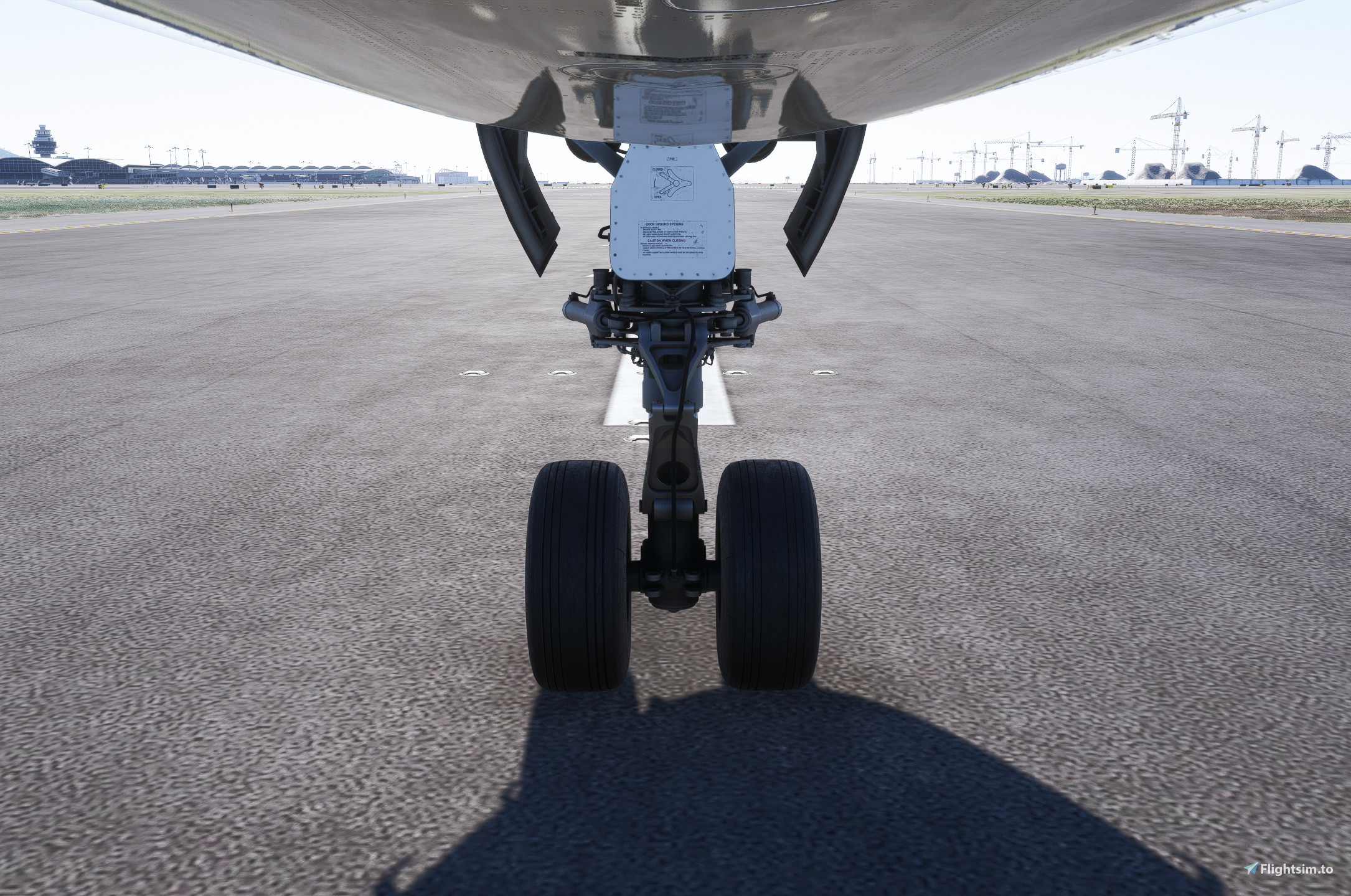
    iniBuilds A340-300 Custom Cabin Cameras - Image 1

    Description

    Custom Cameras for the inibuilds a340-300. Includes Dashcam, wing/engine view, nose gear cam, tail cam, co-pilot view.

    • Alt+1 = Dashcam
    • Alt+2= Front engine Left
    • Alt+3= Front engine right
    • Alt+4= Engine Left
    • Alt+5= Engine Right
    • Alt+6= Behind wing left
    • Alt+7= Behind wing right
    • Alt+8= Nose Gear
    • Alt+9= Tail cam
    • Alt+0= Co-pilot 

    To Install, extract the folder "inibuilds-a340" into your %localappdata%\Packages\Microsoft.Limitless_8wekyb3d8bbwe\LocalCache\SimObjects\Airplanes folder. This will add the cameras to all 4 variants of the A340.

    Connectez-vous pour participer à la discussion

    Se connecter

    Commentaires(11)

    j

    4 months ago

    I really like the cameras, well done!
    A

    7 months ago

    hey, i put it in my community folder and i set my custom camera view to alt + 1 and it doesnt work. any help?
    b
    batatataAuthor

    7 months ago

    Hi, please see the instructions above, it does not go in the community folder.
    A

    7 months ago

    hey, great cam view by the way, but why does my window view look so dark? It’s like the window is tinted, while in your screenshot the window looks really bright
    b
    batatataAuthor

    7 months ago

    Thanks! I think it depends on the lighting, mine are also darker in overcast weather
    A

    7 months ago

    i don’t think it’s because of the weather. when i use the vip variant that was just updated yesterday, the windows look much brighter, not tinted like this. i’m a bit confused because i just bought the inibuilds a340 at release through inimanager, and when i watch other people’s livestreams using the passenger variant, their windows also look bright like your screenshoot
    o

    10 months ago

    thanks , i put the folder INbuilds-a340 into this way ,when i enter the game, i press the ALT+1, its noting, i dont know why. thank you so much
    v

    10 months ago

    same for me
    b
    batatataAuthor

    10 months ago

    Check what you key binding for "Load Custom Camera 1" is. For me it is Alt + 1.
    F

    10 months ago

    For Steam version, I dont have this folder. Where shall I install it instead??
    b
    batatataAuthor

    10 months ago

    Try to look here: C:\Users\[UserName]\AppData\Roaming\Microsoft Flight Simulator\SimObjects\Airplanes\
    MSFS 2020MSFS 2024

    iniBuilds A340-300 Custom Cabin Cameras

    This add-on provides custom camera views for the iniBuilds A340-300, enhancing immersion during flights. It includes various perspectives such as dashcam, wing and engine views, nose gear, tail cam, and co-pilot view. Each camera can be activated using specific keyboard shortcuts. Installation involves placing the custom folder into the designated SimObjects directory.

    Téléchargements991
    Version1.0
    Taille du fichier8.13 KB
    PubliéIl y a 10 mois
    Mis à jourIl y a 10 mois

    Avis des utilisateurs

    5.0

    2 avis

    5
    100%
    4
    0%
    3
    0%
    2
    0%
    1
    0%

    Historique des versions

    Aucun historique de version disponible.

