
Description
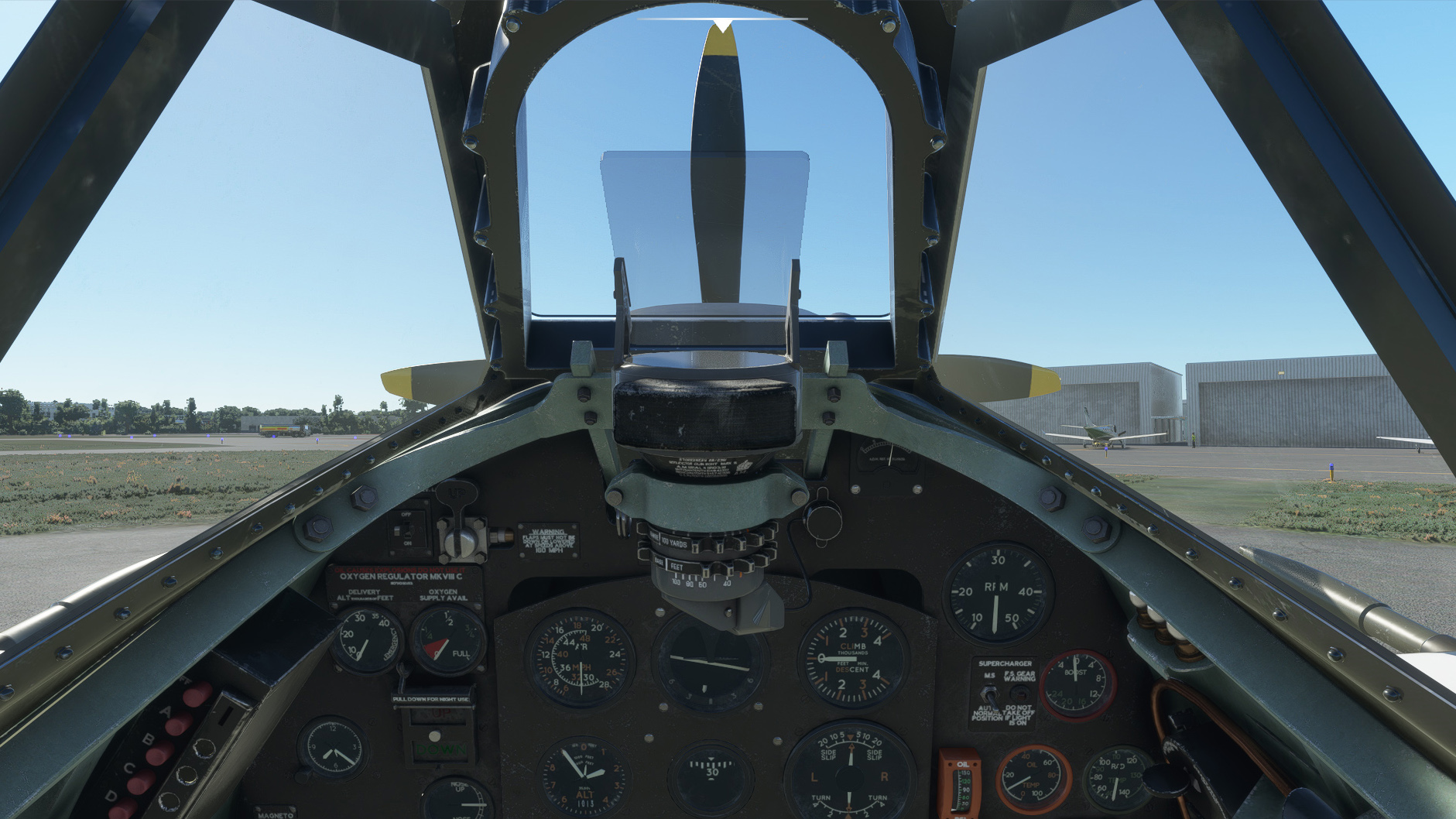
Better Cameras for Flying Iron Spitfire Mk.IXc - 4.0
The cockpit and other camera views of the excellent Spitfire by Flying Iron are not really to my liking because sometimes the instruments are not visible or cut off. Therefore I have changed the standard views to my personal liking. You now also get a shoulder view to the left and right where the head moves slightly toward the window.
Version 4.0
After several users reported problems I did several internal changes that influence how MSFS switches from one view to the other.
If this new version does not work for you, and you had no problems with the old one, you can still download and use version V3.1
Installation:
- delete older version
- copy into your Community folder.
Best wishes
Archer374
Commentaires(29)
Connectez-vous pour participer à la discussion
Se connecterover 3 years ago
Thanks for your praise. Of course nothing prevents you paying something anyway ;-)
Have fun! :-)
over 4 years ago
Hi, using Thrustmaster 16000M and bought Spitfire recently. Tried to use BetterViews v 3.1 and got about 1/2 of front view through armoured windshield blocked by the engine. Seated to low in the cockpit, unable to align angle view with gunsight glass...thanks
over 4 years ago
Did you assign the QuickViews to the joystick?
over 4 years ago
Sorry...have no idea how to do that. Have problems working with joystick views, not like into P3D that as much better joystick control than MSFS. Unable to replicate thr first picture in your examples. Got something similar on plane default views. Thanks, happy 2022
over 4 years ago
Go to "Options" then on to "Control Options"
There you select your joystick. Then on the left side of the screen, change "Filter" to "All" and under "Search by Name" you simply enter the word "quickview".
Now you will see in the center of the screen, a list of all possible assignments that are called "Quickview".
My Cockpit views are:
Cockpit Quickview Up
Cockpit Quickview Rear
Cockpit Quickview Right
Cockpit Quickview Left
Cockpit Quickview 45° Left
Cockpit Quickview 45° Right
Cockpit Quickview 120° Left
Cockpit Quickview 120° Right
I suggest you use one of the 8-way "hat" buttons for the views. This way you will get them all assigned to one button. In most planes I replaced the "Rear" view with a "down" view in the cockpit that lets you see all instruments and levers. In those planes a "rear" view would be unrealistic in real life.
There are further views you can assign:
Toggle Landing Cockpit Mode (Hold): this will switch you to an elevated view where you can see better out of the cockpit but still see the top row of instruments. It simulates the pilot straightening up and leaning forward a little.
Cockpit View Upper: this is seems to be hardcoded into the game. It will also elevate your view, just as if you were straightening up in your seat.
over 4 years ago
Thanks for your attention. Think I´ve done already something similar will check tomorrow if everything ok. Regards
almost 5 years ago
I keep going back between your MOD and the default cameras. Not sure which i like better. Why do you have to confuse me like that, knowing how indecisive i can be :(
Thank you for your work:)
almost 5 years ago
Sorry for making life difficult for you :-D
about 5 years ago
Im using a joystick and the camera is placed behind the pilots back wall and I cant move it to the cockpit, anyone else had this problem?
about 5 years ago
Do you have both the newest version of the plane and of the mod?
about 5 years ago
We need an update for 1.0.2 :-)
about 5 years ago
Done :-)
about 5 years ago
Thank you! :-)
Supermarine Spitfire Mk. IXc (Flying Iron) - Better Cameras
Enhance your experience with the Supermarine Spitfire Mk. IXc by Flying Iron with the Better Cameras mod version 4.0. Adjusted cockpit and camera views provide improved visibility and a new shoulder view option for a more immersive flying experience. Simply delete the older version and copy the new files into your Community folder to enjoy these updated features.

Avis des utilisateurs
4 avis
More Information
Historique des versions
- did several internal changes that influence how MSFS switches from one view to the other after several users had problems - added another instrument view for the large compass, fuel switch as well as boost and starter switches
Similaires
Flysimware Cessna C414 Chancellor - Better Cameras
Enhance your virtual cockpit experience with custom camera views for the Flysimware Cessna C414 Chancellor. This mod provides optimized instrument views for improved visibility, including adjustments to engine gauges and radio/GPS positioning. Simply drag and drop into your Community folder to install. - Archer374
par Archer374
Aerosoft DHC-6 Twin Otter - Better Cameras
Enhance your aerial photography experience with the Aerosoft DHC-6 Twin Otter - Better Cameras V1.1 add-on. This mod features reworked Quick Views, updated instrument views, and improved camera angles for a more immersive flight simulation. Compatible with Microsoft Flight Simulator, simply drag and drop the files into your Community folder to enjoy the enhancements.
par Archer374
Asobo + Bogalu + WBSim Cessna C172 (Classic and G1000) - Better Cameras
Enhance your visibility with the Asobo + Bogalu + WBSim Cessna C172 add-on, featuring improved camera angles for better instrument visibility and enhanced cockpit views for both Classic and G1000 variants. This mod also includes a version with a higher seating position for improved visibility over the aircraft nose. Compatible with various Cessna 172 mods and enhancements, this package is a must-have for C172 enthusiasts looking to optimize their flying experience in Microsoft Flight Simulator.
par Archer374
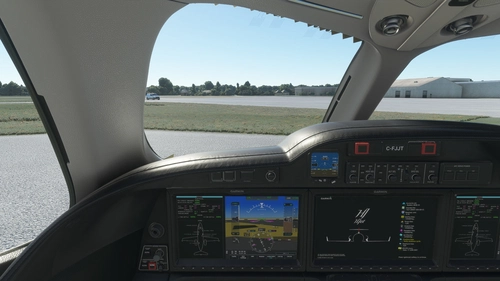
FlightFX Honda HJet HA420 - Better Cameras
Enhance your FlightFX Honda HJet HA420 experience with this add-on featuring additional camera views and improved instrument visibility. Explore new perspectives like the Engine Fire Buttons and AP panel, as well as new instrument views including fuel controls and gear lever. Simply drag and drop into your Community folder for easy installation.
par Archer374
over 3 years ago
It absolutely amazes me that there are guys on here dumb enough to put in all this hard work and giving it all away
To those dumb enough to do so, I have this to say to you:
God bless you guys. In a SIM where people are throwing down serious cash (such as I just recently did for the MD-82) to snap up the best aircraft, I see those like Maddox and other aircraft designers putting forth a labor of coinage, bringing in the cash.
But then there are those designers (like whomever brought us the Super Marine Spitfire) where it is obvious this is a labor of love.
I salute you and one day, I shall build a temple in your honor (LOL)