Flightsim.to

    Cockpit & Controls

    Outils gratuits cockpit et commandes pour MSFS 2020 et 2024. Assignations de commandes, CDU à distance, cockpit sur tablette et matériel. Téléchargement gratuit. Parcourez 31 add-ons publiés par notre communauté.

    Dernière mise à jour
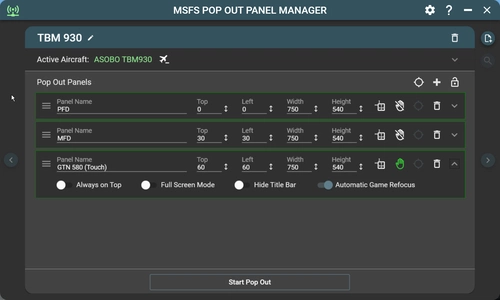
    MSFS Pop Out Panel Manager

    MSFS Pop Out Panel Manager

    MSFS Pop Out Panel Manager (with Touch Support) is an application for MSFS 2020 which helps pop out, save and position pop out panels onto your screen or another monitor at predetermined locations automatically. It can be used in conjunction with tool such as Sim Innovations Air Manager to simplify pop out placements.

    HawkeyeskHawkeyesk
    MSFS2020
    4.7(95)
    48.9K
    69.43 MB
    2 years ago
    MSFS HudBar

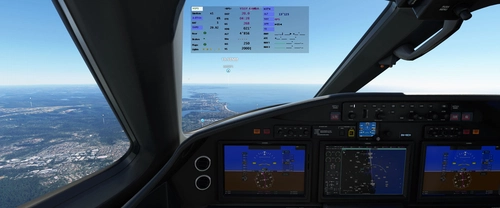
    MSFS HudBar

    Configurable display for more than 100 essential Information items as Bar, Tile or Window. Supports 1 to 4 engine aircrafts (Prop/Engine RPM, FuelFlow for each); Provides 5 different content profiles which are fully configurable; The pilot can directly activate Autopilot commands Auto Elevator Trim on a click; Bottom Bars work best with wide screen monitors; AutoSave of the Flight (FLT file) at 5 Min intervals Flight; Recording to KML File

    bm98chbm98ch
    MSFS2020/24
    4.7(56)
    14.7K
    43.9 MB
    5 months ago
    MSFSCOCKPIT Update 1.3.2

    MSFSCOCKPIT Update 1.3.2

    MSFSCOCKPIT Update 1.3.2 is an add-on for MSFS 2020 designed for Windows systems, featuring essential cockpit components. This update allows for a split-screen setup with the external view on one monitor and the control panel on another, ideal for second monitor or laptop use. Ensure prior installation of NET Framework 4.6.1 and FSUIPC 7 for seamless operation. Contact vmtorregrosa for feedback and support.

    vmtorregrosavmtorregrosa
    MSFS2020
    4.0(3)
    1.4K
    10.87 MB
    2 years ago
    Push Back Recorder

    Push Back Recorder

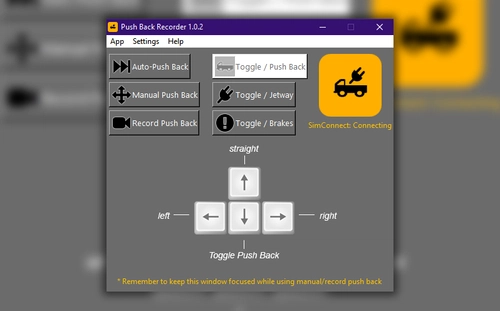
    Record and playback your push backs with Push Back Recorder, an MSFS2020 utility add-on. Choose from auto-push back, planned push back options, manual push back, and more. Installation is easy - simply run pbrsetupxxx.exe and follow the install wizard. Check out the project link for more information and remember to report any issues encountered.

    RushScriptRushScript
    MSFS2020
    4.9(6)
    4.8K
    9.88 MB
    5 years ago
    MSFS Door Tool

    MSFS Door Tool

    Manage aircraft doors easily with the MSFS Door Tool application. Connect to your desired aircraft, select the door, and toggle between open and closed with just a click. Compatible with various aircraft models for a seamless experience.

    barleybobsbarleybobs
    MSFS2020
    4.7(14)
    12.6K
    225.79 KB
    5 years ago
    YourControls - Shared Cockpit - Fly A Plane Together

    YourControls - Shared Cockpit - Fly A Plane Together

    Connect with fellow virtual aviators and share the cockpit with YourControls - a program enabling collaborative flying experiences in Microsoft Flight Simulator. Distribute tasks, synchronize switches, and enhance immersion by flying together on VATSIM. Explore support for various aircraft, including A32NX, with plans for compatibility with additional mods in the future. Discover more about installation and supported features in the official documentation.

    Sequal32Sequal32
    MSFS2020
    4.3(110)
    118.6K
    1.67 MB
    3 years ago
    PushbackZoomer - Pushbacks controlled by voice only

    PushbackZoomer - Pushbacks controlled by voice only

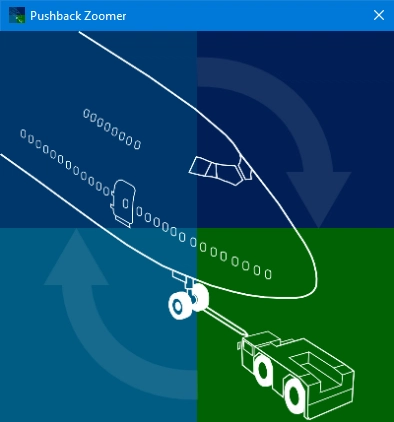
    PushbackZoomer is a Windows 10 app that allows voice-controlled pushbacks with minimal user interface. It supports realistic voice commands triggered step by step for an improved pushback procedure, providing feedback via audio output. The app features a zero-controls GUI, activates voice recognition only when needed, and recognizes a predefined set of English commands. Operating in beta, it offers a unique experience with virtual pushback drivers in various moods.

    3.8(11)
    2.4K
    1.81 MB
    5 years ago
    MSFS Mobile Companion App

    MSFS Mobile Companion App

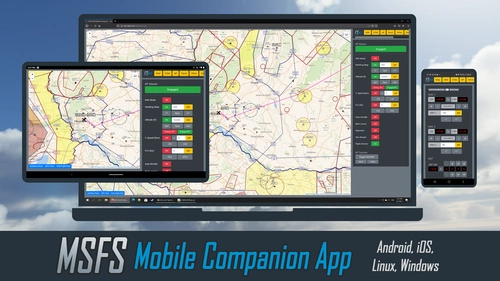
    Control essential aircraft instruments with the MSFS Mobile Companion App, a free tool compatible with various MSFS aircraft. Features include moving map, autopilot settings, light controls, and more. Easily access the app from your mobile device via a local web server set up on your PC. Stay updated with the latest version offering improvements and new controls profiles.

    4.7(112)
    67.8K
    12.17 MB
    5 years ago
    FS SimRate Bandit

    FS SimRate Bandit

    Easily control and track your SimRate in Microsoft Flight Simulator 2020 with FS SimRate Bandit. This tool displays current SimRate, distance to next waypoint, and announces changes via voice. Experience automatic SimRate adjustments along your flight plan for a smoother journey. Ensure proper GPS SimVars feed for optimal performance.

    dga711dga711
    MSFS2020/24
    4.4(33)
    28.8K
    122.88 KB
    3 years ago
    Showing 25 - 31 of 31 results