
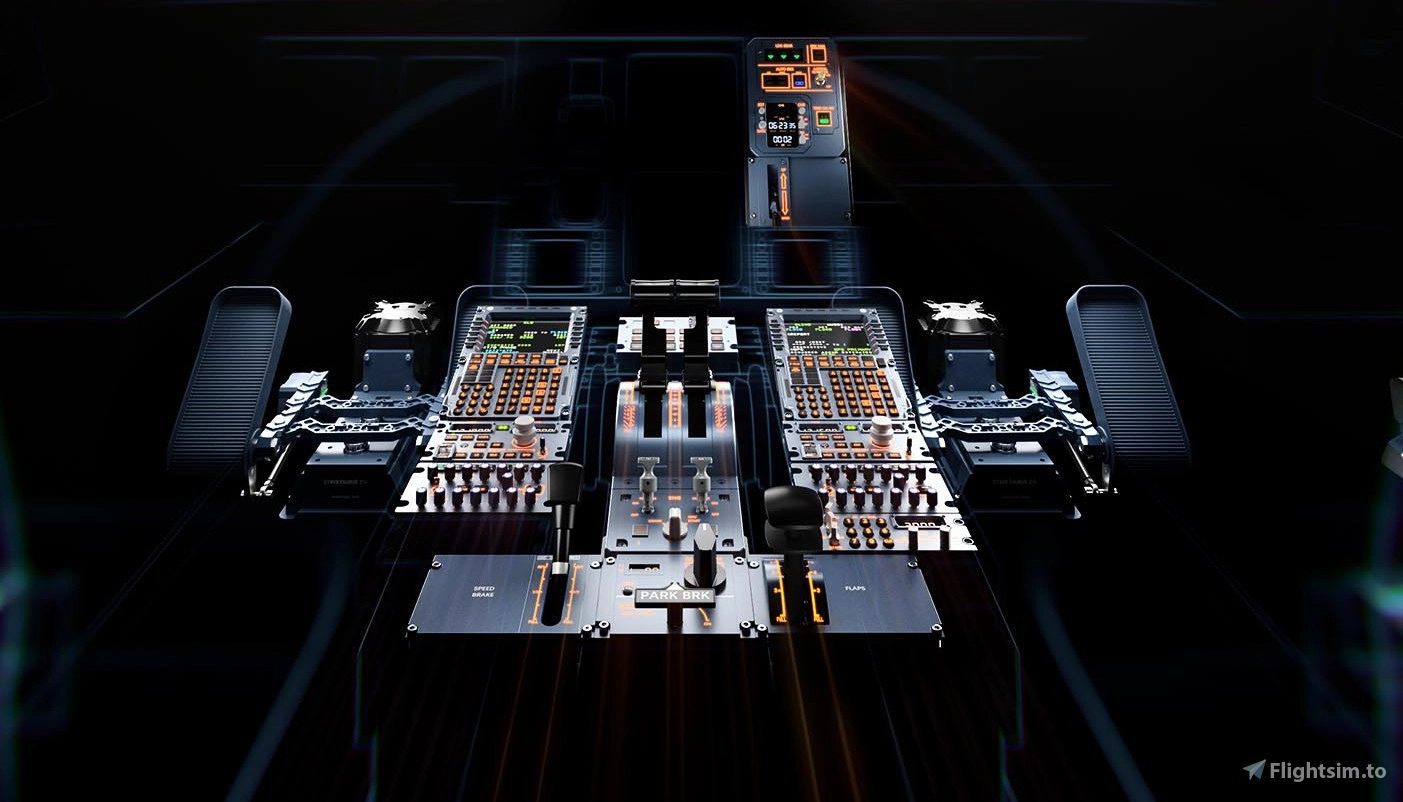
Description
Update v4 modular profiles for mix and match according your own hardware:
- Added the possibility to change the terrain button for FO only or CPT only or CPT/FO
- Cooling function for the NEO PW engines button 7 PAC 32
- In case you don't have the hardware tiller you could also use button 5
- Just set active or disarm the terrain option or enable all for CPT or FO or Both
Make sure to have updated the FSLabs Airbus to the latest version (11.0.1.348 experimental channel)
The modular profiles are assigned to the following hardware and fully compatible with WinCTRL hardware and FSLabs Airbus A32X and Mobiflight 11.0.1.19x beta greater:
- FCU-32 firmware V1.22 - WinCTRL A32X FSLabs_Mod_FCU.mfproj
- EFIS-32L firmware V1.00 - WinCTRL A32X FSLabs_Mod_EFIS_L.mfproj
- EFIS-32R firmware V1.02 - WinCTRL A32X FSLabs_Mod_EFIS_R.mfproj
- MCDU firmware V1.04 - WinCTRL A32X FSLabs_Mod_MCDU_CPT.mfproj
- MCDU firmware V1.04 - WinCTRL A32X FSLabs_Mod_MCDU_FO.mfproj
- Ursa Minor 32 Throttle Metal V1.16 (Assign two axis in MSFS 20/24 RX and RY) - WinCTRL A32X FSLabs_Mod_Throttle.mfproj
- Pac 32 Metal v 1.12 - WinCTRL A32X FSLabs_Mod_PAC.mfproj
- ECAM 32 V1.01 - WinCTRL A32X FSLabs_Mod_ECAM.mfproj
- AGP 32 V1.09 - WinCTRL A32X FSLabs_Mod_AGP.mfproj
- RMP 32 V0.93 - WinCTRL A32X FSLabs_Mod_RMP_L.mfproj
- TCAS 32 - WinCTRL A32X FSLabs_Mod_TCAS.mfproj
- NWS 32 V1.0.1 (assign axis in MSFS) - WinCTRL A32X FSLabs_Mod_NWS_L.mfproj
- NWS 32 V1.0.1 (assign axis in MSFS) - WinCTRL A32X FSLabs_Mod_NWS_R.mfproj
Mobiflight open the first profile of your choice then via the most right top corner plus sign on the tab the next profile and choose from an existing project.
So you can mix and match according your own hardware and with an update just remove the old one and add the updated one.
When done save your new modular profile in your own naming logic via the save button.
Load the profile in Mobiflight 11.0.1.19x beta and assign to your local controllers
(one time action Mobiflight remembers the next time all the setting when you saved your modular file)
FSLabs Modular Profiles for Mobiflight and WinCTRL hardware
Modular profiles for FSLabs A32X and Neo and WinCtrl hardware Update v4 modular profiles for mix and match according your own hardware: Added the possibility to change the terrain button for FO only or CPT only or CPT/FO Cooling function for the NEO PW engines button 7 PAC 32 In case you don't have the hardware tiller you could also use button 5 Just set active or disarm the terrain option or enable all for CPT or FO or Both

Soutiens
Avis des utilisateurs
7 avis
Historique des versions
small update ECAM/MCDU FO/FCU
Similaires
Official Flytampa Amsterdam (EHAM) GSX Pro profile
Enhance your ground handling in Microsoft Flight Simulator with the official Flytampa Amsterdam (EHAM) GSX Pro profile. This profile offers realistic pushback routes, gates, and stand adjustments for an immersive experience. Included in the profile are GSX profile definition and Python script files, with easy installation methods provided. Experience close-to-real life procedures with precise aircraft type placements, catering services, and logical ground vehicle movements at Schiphol Airport.
par virtualstuff
Aerosoft Brussels EBBR V2.2 GSX Pro
Enhance your GSX Pro experience with the Aerosoft Brussels EBBR V2.1 update. This version includes custom stop positions, updated push back routes, and new catering and handler options. Make sure to update to GSX Pro version 2.91 for full compatibility with this add-on.
par virtualstuff

Mobiflight profiles for Winwing and FSLabs A321CEO and NEO
This add-on provides Mobiflight profiles specifically designed for the Winwing hardware in conjunction with the FSLabs A321CEO aircraft. It includes several custom configurations for the FCU and EFIS systems, ensuring full functionality such as integrated lighting and LCD backlight controls. Users are advised to use the latest firmware for their Winwing devices and to follow specific installation and setup guidelines to ensure compatibility. The profiles enable a streamlined operation within Microsoft Flight Simulator when flying the A321CEO version 11.0.1.29X and above.
par virtualstuff
Connectez-vous pour participer à la discussion
Se connecterCommentaires(46)
about 1 month ago
about 1 month ago
There will also follow and update but have to wait for the update in the experimental channel version of FSL
In the meantime press one of the lsk keys besides the display...
3 months ago
3 months ago
4 months ago
Ce commentaire a été supprimé
4 months ago
4 months ago
4 months ago
4 months ago
4 months ago
3 months ago
5 months ago
4 months ago
6 months ago
6 months ago
7 months ago
I just wanted to give you a couple of suggestions:
When you press the "FSLabs AGP: Clock Date SET" button, it flickers. To fix this, replace your string with this: when pressed, 1 (>L:FSLClckBttnPr, Number) 75143 (>K:ROTOR_BRAKE), when released, 0 (>L:FSLClckBttnPr, Number) 75145 (>K:ROTOR_BRAKE). This solved the problem, making the button press stable. Also, the day and month display in the UTC field are reversed. You see the day instead of the month and vice versa. Besides that, I just have to congratulate you on the excellent work you've done.
7 months ago
Date and month are correct in the original code the slight flicker is on the VC not on the AGP itself ;-)
That one is already solved within the next update not needed for rotor_brake.
7 months ago
7 months ago
7 months ago
Before doing any steps is it working correct in Simapppro calibration tool and single stroke double shaft?