
Description
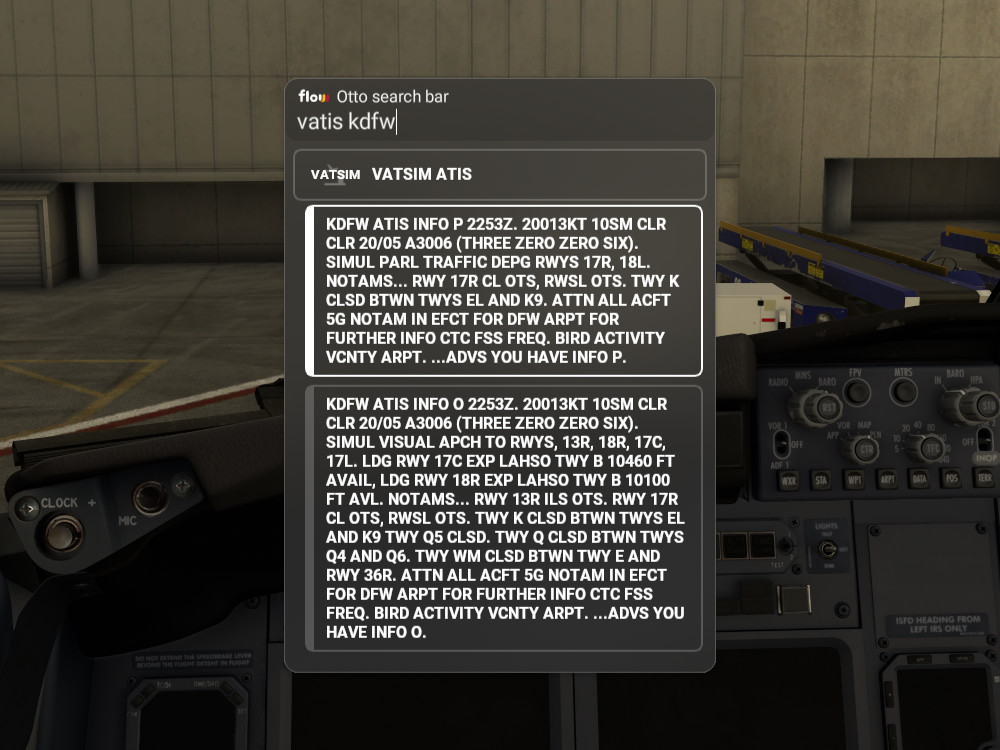
Lookup the VATSIM ATIS for airports with an ATIS available.
Click on the ATIS text to copy the full ATIS text to the clipboard
Note: Flow Pro is required to use this addon.
Flow VATSIM ATIS
Access VATSIM ATIS for airports with available information, and easily copy the ATIS text with a simple click. Please note that Flow Pro is necessary for utilizing this add-on.


Avis des utilisateurs
1 avis
Historique des versions
ATIS text is larger and no longer split Changed API proxy to reduce errors when the vatsim network is busy
Présent dans des collections(1)

Similaires
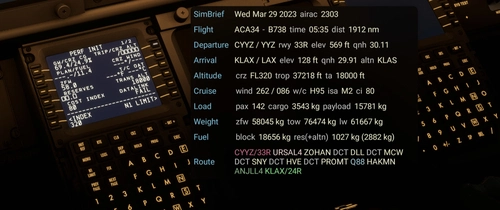
Flow SimBrief OFP
This widget will display data from your latest SimBrief OFP (Operational Flight Plan) in a window once you’ve configured it with your simbrief user name or user id. I welcome feedback regarding the info displayed as I will continue to evolve this with additional features and data.
par wasabidad
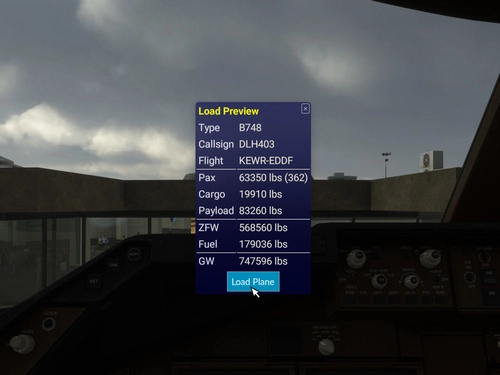
SimBrief Loader
Automatically load fuel and payload weights from SimBrief for select aircraft in Microsoft Flight Simulator. Verify and load the flight plan, ensuring correct weights are applied for an accurate simulation experience. Customized for specific aircraft models and prevents mismatches with in-game weight settings. Note: Flow Pro integration is necessary for addon functionality.
par timwells
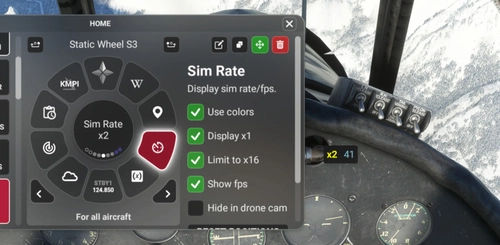
Flow Sim Rate Monitor
I've been wanting an onscreen display of the sim acceleration rate for a long time and this widget enables a small floating window that will display the sim rate and can be dragged anywhere on screen. You can see it in the 2nd photo in the lower right of the screen.
par wasabidad
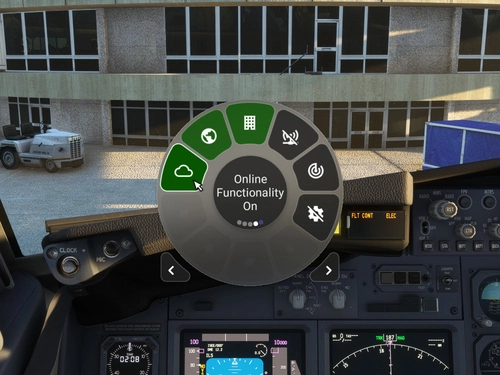
MSFS Settings Widgets
Easily toggle various MSFS settings with these widgets, including online functionality, graphics options, sound settings, and more. Adjust settings with simple clicks or scrolls, with a 2-second delay to prevent frequent changes. Stay updated with the Bing Data World Graphics widget and ensure a seamless simulation experience. Compatibility requires Flow Pro version 2023.29.3.12 or newer.
par timwells
Connectez-vous pour participer à la discussion
Se connecterCommentaires(4)
over 2 years ago
over 2 years ago
almost 4 years ago
If there could be anyway to print from this would be amazing! Some of us have receipt printers for the FBW but have never been able to do in other aircraft’s
almost 4 years ago
I'm not sure if that would be possible, but if you click on the text it is copied to the clipboard, so you could paste it into notepad or something and print it that way.