
Description
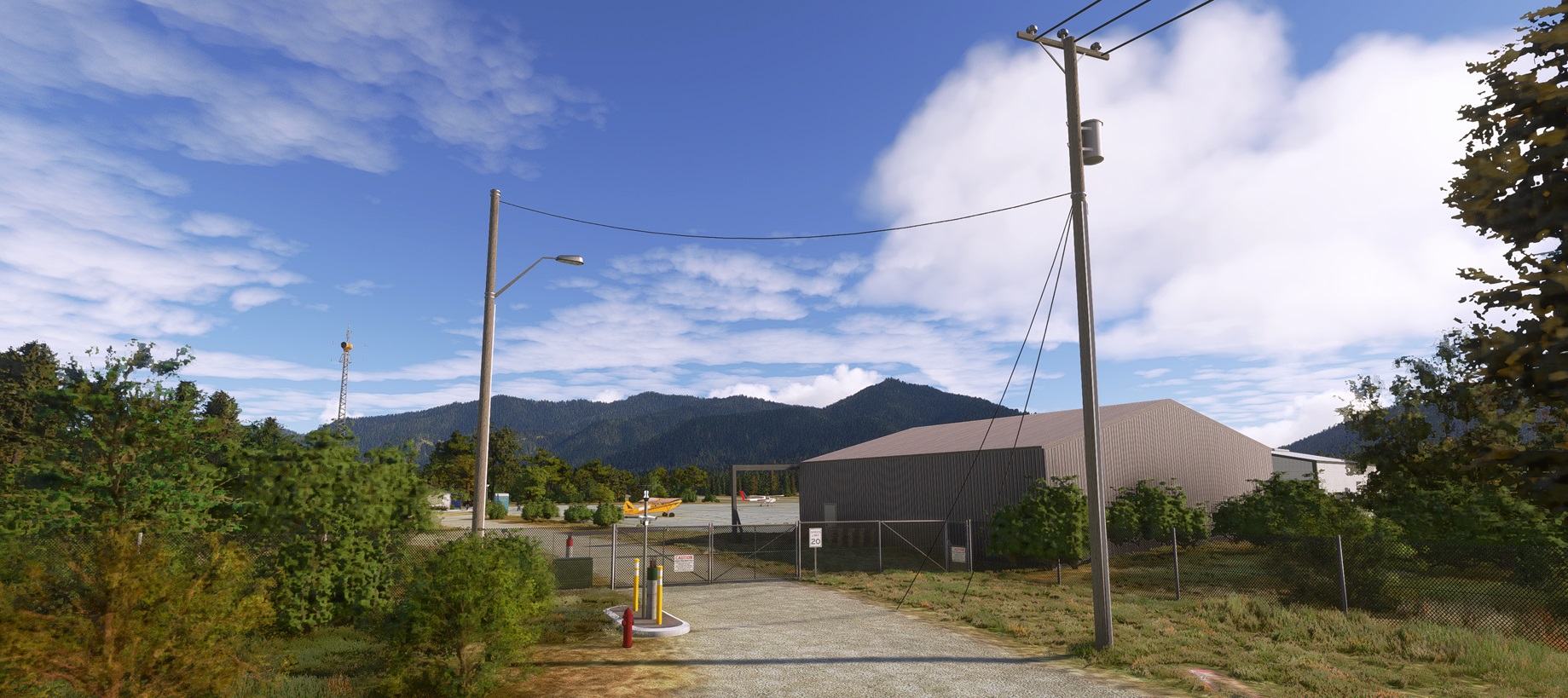
Hayfork Airport is a quaint aviation hub nestled in the picturesque landscapes of California. This charming facility serves as a gateway to the beauty of Trinity County, offering a unique experience for aviation enthusiasts and travelers alike.
Situated in the heart of the region, Hayfork Airport welcomes visitors with its warm hospitality and a sense of tranquility that defines the California countryside. With a single runway and essential amenities, it provides a serene departure point for those seeking to explore the natural wonders that abound in the surrounding area.
Adding to the allure of this aviation haven is its proximity to Trinity Center Airfield. The two airports, like kindred spirits, stand side by side, forming a duo that beckons adventurers to discover the scenic marvels of Trinity County. Together, they create a harmonious synergy, making the journey as remarkable as the destination.
As you soar above the rugged terrain, the aerial views of Trinity County unfold like a canvas painted with nature's vibrant hues. From dense forests to sparkling lakes, the landscape captivates the senses and invites exploration. Whether you're a pilot enjoying the thrill of the skies or a traveler seeking a gateway to the great outdoors, Hayfork Airport and its neighbor, Trinity Center Airfield, promise an unforgettable experience in the heart of California's breathtaking landscapes.
If you like the scenery, check also this one: Trinity-Center - O86
About the Development of Airfield Hayfork in MSFS2020:
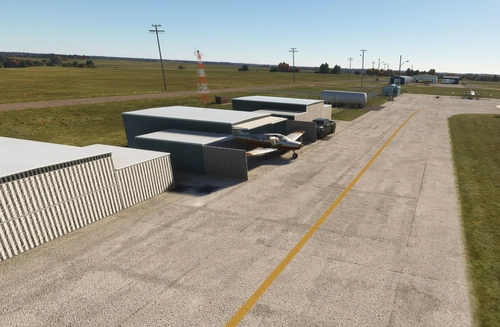
Hayfork Airport is a small general aviation airfield equipped with runway lighting, but in reality, it appears somewhat outdated and neglected. However, this adds to its charm and invites you to explore. It serves as a convenient connecting hub for Trinity-Center Airport in Trinity County, making it an ideal base for exploring the area. I've meticulously replicated everything as closely as possible to reality using existing objects and SDK tools from MSFS, along with a few third-party libraries. If you're a fan of visual flight rules (VFR) flying, you likely already have these libraries.
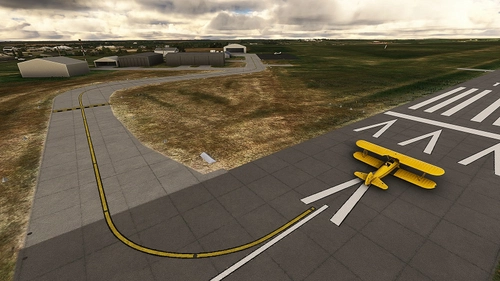
As mentioned, I've modified and aged the runway, apron, and taxiway pavements, including grass growing in the apron. Many trees, especially spruces, have been removed in the vicinity of the airfield. Even compared to Google Maps, I've been conservative in depicting the area. The spruces have been replaced with low shrubbery and deciduous trees, interspersed with occasional spruces.
In the immediate surroundings, I've added power cables along the roads and created a lowered dry bed with tunnel tubes supposedly passing beneath the runway. A windsock has been installed, along with a different rotating airport beacon, Windsock pattern blocks, fencing, and more. There are plenty of details to observe and discover. The dark hangar is in real life according to Google maps called, US Transportation Department, so i changed the parkingspot in front of the hangar as an Cargo parking spot for GA.:-) And if you park in front of the white hangar, your aircraft will be refueled. (hidden fuelstation parking spot).
Enjoy your flights at this updated airport!
Installation:
The zip file contains one folder; simply drag and drop one into your Community folder:
- "geraldar98-airport-f62-hayfork"
Libraries:
Microsoft Default (including world updates):
I utilized basic materials from MSFS 2020 - Premium Deluxe as much as possible, including objects from the world updates. For example: the T-markings on the apron are from World Update XIII - Hawaii’s Kona International Airport (PHKO).
Third-party libraries:
After downloading the main file, kindly ensure to also download the required third-party libraries. Otherwise, you won't be able to view the details.
I will include the links, after I upload this mainfile.
As I said, several objects are from third-party libraries not included, which are likely already in your possession if you frequently use VFR airfields. The list of necessary libraries includes:
- ethnicfs - vehicles - library (5 cars)
- jhd-library
- Mikeaat-assetpack
- human-library-animated
- library1v14-cbj
- esd-modellib-eolib
- Dave's Crooked Library
- Wookie042-bush-and-backcountry-library
- Totofteam-france-totofobject v5
One extra remark:
Since I'm using Rex Accuseason, certain trees and/or heights might be different if you're not using this addon. So far, there haven't been any complaints, but just know that this could be the reason.
Dépendances
Location
F62 - Hayfork Airport - California, US
Explore the quaint aviation hub of Hayfork Airport in California, nestled in the picturesque Trinity County area. Experience warm hospitality and tranquility as you depart from this charming facility for an adventure in the natural wonders of the region. Discover the harmonious synergy with its neighbor, Trinity Center Airfield, as you enjoy scenic aerial views and immersive details in this meticulously replicated add-on for Microsoft Flight Simulator 2020.

Avis des utilisateurs
6 avis
Historique des versions
After the MSFS updates in the second quarter of 2024, three default buildings reappeared on top of my custom building objects. I created a new exclusion polygon to fix this. Note: When you select the ramp start point, the dots disappear for selecting another ramp point. Just start your flight, and you will be placed at your position on the airfield. I haven't figured out why this happens, but the scenery works, and that's what matters.
Présent dans des collections(1)

Similaires
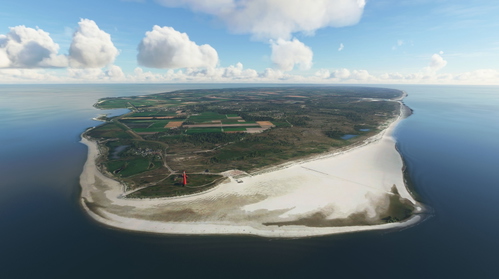
Netherlands - Texel International Airport - EHTX Version 3.1
Netherlands VFR enhancement - Texel International Airport [EHTX]. Experience three airport options in one scenery: a normal busy airport, a bad-weather airport, and a TEXEL AOPA Fly-In event. Explore the historic grass airport, including a custom lighthouse, and enjoy flying in the Dutch skies with added details and realism.
par Geraldar98
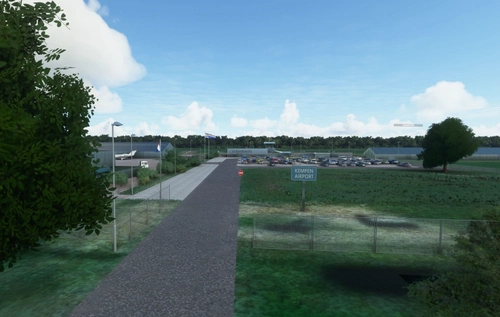
Netherlands - Kempen Airport - Budel (EHBD) Version 2.0 NEW
Enhance your Dutch VFR experience with the Kempen Airport - Budel add-on for Microsoft Flight Simulator. Version 2.0 brings new ground textures, parking areas, aprons, runway/taxi corrections, and more detailed features. Discover this scenic airport nestled between Eindhoven and Beek, reflecting real-life details such as TBM aircraft and small jets. Explore the meticulously crafted scenery, complete with added elements like people, fences, and working windsocks for a more immersive flight simulation experience.
par Geraldar98
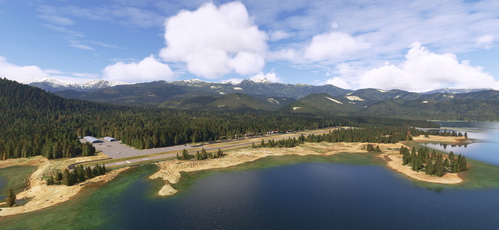
Trinity Center - O86 - California - US
Explore the challenging airfield of Trinity-Center (O86) in the United States, perfect for VFR flying enthusiasts. This revamped add-on offers a realistic and immersive experience, featuring a narrow runway nestled amidst picturesque landscapes. Test your precision and finesse as you navigate this unique airstrip, enhanced with detailed scenery and a touch of fantasy. Master the airfield and enjoy the joy of flight in this exceptional simulation experience.
par Geraldar98
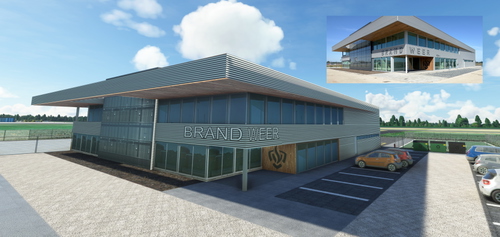
Netherlands - EHRD - Expansion part 1 - New Firestation v1.0
Enhance Rotterdam Airport in Microsoft Flight Simulator with a new, handcrafted firestation modeled after the real-life building that opened in September 2020. This detailed scenery add-on includes custom textures and is designed to seamlessly integrate into the existing MSFS 2020 Rotterdam Airport. Stay tuned for future expansions from the creator, Geraldar98, and show your support for their freeware contributions to the flight simulation community.
par Geraldar98
Connectez-vous pour participer à la discussion
Se connecterCommentaires(26)
about 2 years ago
about 2 years ago
over 2 years ago
over 2 years ago
The cracked pavement is my absolute favorite!
Greetings from germany :)
over 2 years ago
over 2 years ago
I hope you can fix this soon :/
over 2 years ago
Alternative: If you simply type "F62" into the search bar, it will directly zoom in to F62 airport, allowing you to select the starting position.
over 2 years ago
Looking forward to the fix :)
over 2 years ago
over 2 years ago
over 2 years ago
over 2 years ago
over 2 years ago
What for?
Thanks
over 2 years ago
However I wasn't sure if i used one element from it. so, just to make sure I included it.
over 2 years ago
Keep up the awesome work! :)
over 2 years ago
over 2 years ago
over 2 years ago
Maybe it's a good idea to list a few points to narrow down the issue. The problem might arise from a specific setting on your PC, your addons, or simulator, or perhaps something is missing. Since the procedure I follow for this scenery is standard with no peculiarities.
1.) Installed MSFS-2020 Premium Deluxe? (I also use assets that may come from this version.)
2.) Completed all Sim Updates?
3.) Completed all World Updates? (some assets I use come from the World Update scenery objects.)
4.) Installed all required Simobject Libraries? (dropped in the Community folder)
5.) My scenery is in the Community folder?
6.) Is there any other scenery for this airport in your community folder? (unlikely, as no one has created scenery for this airport)
Bottomline:
MSFS2020 probably lacks a specific file or assets in the scenery, causing it to disassociate itself from the scenery. At least, that's how it seems.
Example:
While creating this scenery, I initially didn't make the taxiways and parking spots. Then I loaded the scenery and started MSFS2020. When I tried to select the airport to start a flight, the airfield wasn't displayed on the map. After creating them and re-uploading, starting MSFS2020 again, everything worked fine.
In short, you might be missing something.
Hopefully, I've given you some clues to find the cause, and you can use the scenery without too much trouble. Again, I intentionally kept the scenery simple by using as many MSFS elements as possible. However, differences in what each person has installed from the original (MSFS2020 version, world updates, sim updates, etc.) can make a difference, so that's up to you.
Good luck and please let me know.
over 2 years ago
over 2 years ago