
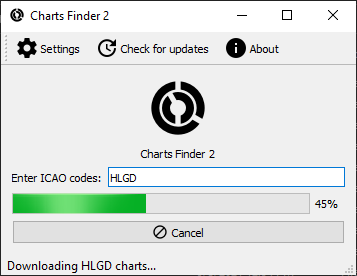
Description
Charts Finder 2 is a useful tool to get charts for your flights.
The app is open source under GPL 3 license.
Read the manual for full explanation.
Copyright © Abdullah Radwan
Charts Finder 2
Find and access charts easily for your flights with Charts Finder 2, an open source tool licensed under GPL 3. Explore the manual for detailed information. Created by Abdullah Radwan.
Téléchargements suspendus
Le créateur a temporairement suspendu les téléchargements pour cet add-on. Veuillez réessayer plus tard.


Avis des utilisateurs
5 avis
Historique des versions
Version 2.4 comes with completely new resources from official APIs that are updated for each AIRAC cycle, and other various improvements.
Similaires
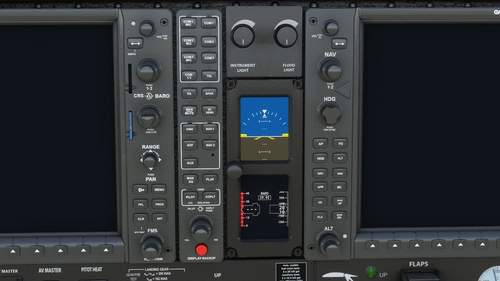
MD302X
Enhance your MSFS default MD302 unit with MD302X add-on, featuring a one-hour battery for operation during electrical failures. The mod also includes instructions for developers to ensure compatibility and adjust the units brightness.
par AbdullahRadwan
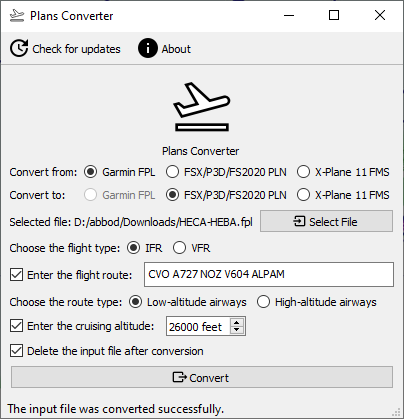
Plans Converter
Easily convert between major flight plan formats with Plans Converter. Convert Garmin FPL, FSX/P3D/FS2020 PLN, and X-Plane 11 FMS formats effortlessly. This free and open-source app simplifies the process for all flight simulation enthusiasts. Explore the GitHub repository for more information.
par AbdullahRadwan
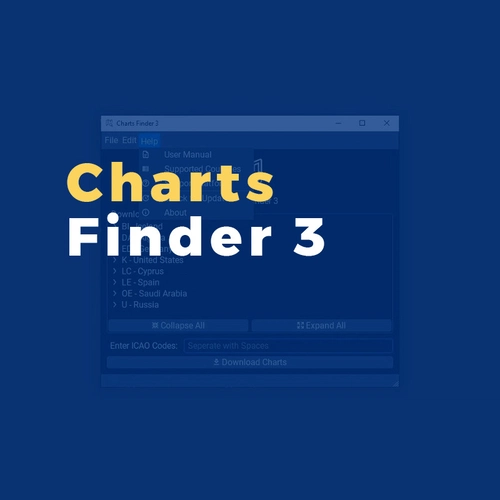
Charts Finder 3
Access IFR charts effortlessly with Charts Finder 3. This app simplifies the process by automatically downloading and organizing official AIP charts from over 100 countries, ensuring updated resources for every AIRAC cycle. Customize filenames for easy reference and stay informed with user-friendly features.
par Abdullah Radwan
Connectez-vous pour participer à la discussion
Se connecterCommentaires(33)
over 5 years ago
An uninstaller is not included. Trying to uninstall via Windows just starts the program again 😔
over 5 years ago
Regarding uninstalling the app, I tested it on my machine and it worked fine (see https://i.imgur.com/OMPzal9.png if you were on 2.3 and upgraded to 2.4, or https://i.imgur.com/bhdDKCi.png if you installed it using 2.4 installer). I am not sure how it opens the app. I would love to hear more details.
If all else fails, head to the app installation folder and run maintenancetool.exe or Charts Finder 2 Maintenance Tool.exe, whatever exists on that folder.
over 5 years ago
over 5 years ago
The app can be uninstalled from Control Panel on Windows like any other app, and by running the ‘Charts Finder 2 Maintenance Tool’ file in the app installation folder on Linux.
over 5 years ago
For example for the LIMC (Milano Malpensa) airport there are many PDF files available but they are referenced as https://www.enav.it/enavWebPortalStatic/AIP/AIP/ad/ad2/ADPMC2-1.pdf, https://www.enav.it/enavWebPortalStatic/AIP/AIP/ad/ad2/ADPMC3-1.pdf, https://www.enav.it/enavWebPortalStatic/AIP/AIP/ad/ad2/ADPMC4-1.pdf and so on up to 8
Important: not all charts from 2 to 8 are available for any airport, for example for LIMA just 2, 3 and 8 are available (as https://www.enav.it/enavWebPortalStatic/AIP/AIP/ad/ad2/ADSMA2-1.pdf)
As you can see only the last two letters of the ICAO code are used, and the path where all the charts are stored is just one for all
Actually I could define a source like https://www.enav.it/enavWebPortalStatic/AIP/AIP/ad/ad2/ADP%12-1 of type Normal (the 2 is for aerodrome charts so it should be enough) but I should be able to use only the last two letters of the ICAO code
over 5 years ago
over 5 years ago
probably if I save my credentials there is no need to make an automatic login
Is the partial ICAO name feature too complicated as well ?
over 5 years ago
The two-letter ICAO code isn't very hard to do on its own, but that means I need to implement custom rules for all resources, as some resources are four-letter, while others are two-letter, not to mention the credentials thing. Again, more work.
I might do this in the future. But in the meantime, I don't think I will do this.
over 5 years ago
actually I can just use the two last letters to search for it (e.g. for LIMF I enter only MF)
Anyway the program doesn't return any file probably because of the required credentials: I have tried to be logged to the service in a browser meanwhile doing it but it made no difference
over 5 years ago
over 5 years ago
Always the message "Couldn't find XXXX charts" is shown
Is there any firewall setting to be applied ?
over 5 years ago
over 5 years ago
over 5 years ago
over 5 years ago
over 5 years ago
I think I will remove the resources that have incorrectly named charts in the next update.
over 5 years ago
The problem should be solved hopefully.