
Description
Stream Deck+ profile to control MSFS 2020/2024 A320 V2
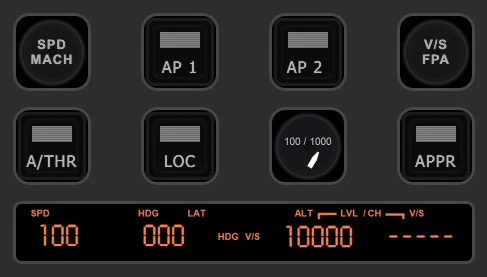
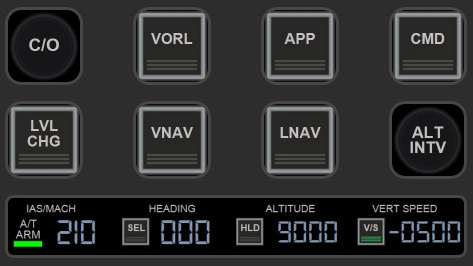
This profile includes three pages to control Navigation Screen and Radar, Barometer, Autopilot, Landing Gear and the Brakes.
Installation & Requirements
Obviously Stream Deck+ and PilotsDeck plugin are required. PilotsDeck plugin can be installed from https://github.com/Fragtality/PilotsDeck
If PilotsDeck package installation does not include MobiFlight WASM and FSUIPC7 (as it should), please install them from:
https://github.com/MobiFlight/MobiFlight-WASM-Module
https://www.fsuipc.com/
Plugin is using font Digital-7, either install it from here or by downloading e.g. from https://www.1001fonts.com/digital-7-font.html. Click the font file and select Install.
At last import included profile A320 Neo V2 into Stream Deck app (e.g. by clicking the file)
MSFS 2020/2024 - A320 Neo V2 Stream Deck+ Profile
This add-on provides a Stream Deck+ profile specifically designed for controlling the A320 Neo V2 in MSFS 2024. It features three pages that enable users to manage crucial aircraft functions such as Navigation Screen and Radar, Barometer settings, Autopilot, Landing Gear, and Brakes. The installation requires the Stream Deck+ and the PilotsDeck plugin, along with additional components like MobiFlight WASM and FSUIPC7 for full functionality. Users should also install the Digital-7 font for an optimized visual experience.


Avis des utilisateurs
4 avis
Historique des versions
Fixed issues: - L KT PUMP 2 text fixed - Fixed an issue where the ND Filter buttons used the wrong variables, which allowed multiple ND filters to be active simultaneously.
Similaires
Stream Deck+ profile to control MSFS 2020/2024 Garmin G1000
This Stream Deck+ profile provides a comprehensive control system for the Garmin G1000 in Microsoft Flight Simulator 2020 and 2024, featuring three pages dedicated to Barometer, Autopilot, and Garmin G1000 PFD/MFD controls. It is compatible with all aircraft equipped with the Garmin G1000, although some functionalities may vary based on specific G1000 versions. To utilize this profile, users need a Stream Deck+, the PilotsDeck plugin, and associated modules such as MobiFlight WASM and FSUIPC7 for full functionality.
par aimoii
MSFS 2020/2024 - Cessna Citation Longitude Stream Deck+ Profile
This add-on provides a Stream Deck+ profile designed specifically for controlling the Cessna Citation Longitude in Microsoft Flight Simulator 2024. It features six pages for easy access to various functions, including barometer settings, autopilot controls, and MFD map zoom. Users will need the Stream Deck+ hardware and the PilotsDeck plugin to utilize this profile. Additional components such as MobiFlight WASM and FSUIPC7 may also be required for full functionality.
par aimoii
Stream Deck+ profile to control Cirrus Vision Jet G2 (MSFS 2024)
This add-on provides a Stream Deck+ profile specifically designed for the Cirrus Vision Jet G2 in Microsoft Flight Simulator 2024. It features two pages that allow users to control essential functions such as Barometer settings, Autopilot, and Garmin PFD & MFD screen controls. Users will need the Stream Deck+ and the PilotsDeck plugin to utilize this profile effectively. Installation of additional components, including MobiFlight WASM and FSUIPC7, may also be required for full functionality.
par aimoii
Stream Deck+ Profile to control MSFS 2024 Boeing 737 Max (Asobo)
This add-on features a Stream Deck+ profile designed specifically for controlling the Boeing 737 Max in MSFS 2024. It provides three pages of functionality for managing the PFD, ND, barometer, autopilot, landing gear, brakes, and flaps. Required components include the PilotsDeck plugin and other installations such as MobiFlight WASM and FSUIPC7 for full operation. Additionally, users will need to install the Digital-7 font to utilize the profile effectively.
par aimoii
Connectez-vous pour participer à la discussion
Se connecterCommentaires(33)
3 months ago
3 months ago
3 months ago
6 months ago
6 months ago
6 months ago
6 months ago
6 months ago
6 months ago
5 months ago
6 months ago
Ce commentaire a été supprimé
6 months ago
7 months ago
7 months ago
By default when plane is loaded QNH is 'blank', you need to press once the knob to get the value shown. I will review the Baro knob for next version update.
7 months ago
But now to a problem I've been having with this profile for some time and I just can't find the error. ... All buttons and commands work, even the new light controls! But only the DIAL controls for SPD, HDG, ALT and VS no longer accept input. Whenever I turn these controls, the display background briefly flashes red. When I change the values inside the A320, they are immediately displayed correctly on the SteamDeck display. I just can't control them anymore by using the steam deck + dial knoop. I have reinstalled FSUIPC7. The profile as well. ... but no!
Do you have any ideas? I have also installed the autopilot profiles for the FENIX from Flight-Panels.
7 months ago
These dials are using Control -type commands, and this symptom with flashing red background is most probably caused by FSUIPC7. As you mentioned that you already tried to reinstall FSUIPC7, it might not be the case, but double check that you have the latest version installed. If there is update pending, FSUIPC7 won't start completely with Sim but update request is open in the background. Also you should see FSUIPC7 running in windows bottom right apps.
But I will also take a note to myself, and I will make changes for the profile so it would not use these Control -type commands since they are mostly used in my profiles since I have used them in previous profile versions.
8 months ago
8 months ago
https://www.youtube.com/playlist?list=PL_j2bl-uw9xFdxFwlzT4QosIALjObRVEk
Unfortunately I do not have Fenix A320 so can't work with that plane currently.
12 months ago
Would it be a big hassle to add a Light Panel? Exterior Lights under buttons, Strobe, Beacon, Taxi , Nav... etc. And Interior Lights control under knobs, Background, PFD, ND ...
12 months ago