
Description
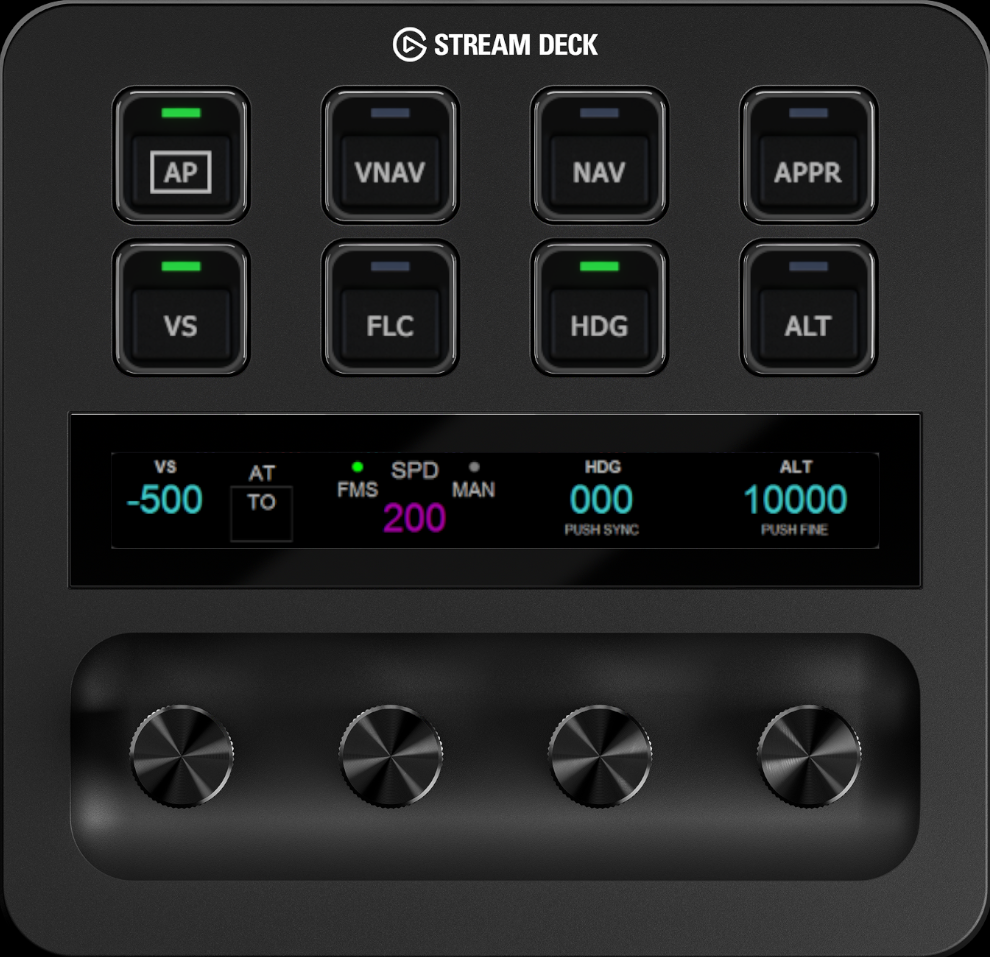
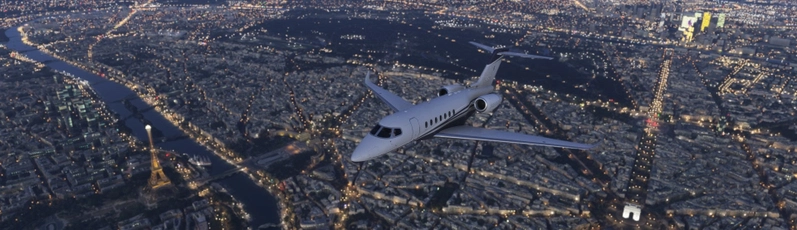
Stream Deck+ profile to control MSFS 2020/2024 Cessna Citation Longitude
This profile includes six pages to control Barometer, Auto Throttle, Autopilot functions and MFD Map Zoom
Installation & Requirements
Stream Deck+ and PilotsDeck plugin are required. PilotsDeck plugin can be installed from https://github.com/Fragtality/PilotsDeck
If PilotsDeck package installation does not include MobiFlight WASM and FSUIPC7 (as it should), please install them from:
https://github.com/MobiFlight/MobiFlight-WASM-Module
https://www.fsuipc.com/
Copy the included icon images into: C:\Users\USERNAME\AppData\Roaming\Elgato\StreamDeck\Plugins\com.extension.pilotsdeck.sdPlugin\Images\Cessna Longitude (create the 'Cessna Longitude' folder if it doesn’t exist).
Import included profile Longitude into Stream Deck app (e.g. by clicking the file)
NOTE - in MSFS 2020 Auto Throttle indicator does not work at the moment
MSFS 2020/2024 - Cessna Citation Longitude Stream Deck+ Profile
This add-on provides a Stream Deck+ profile designed specifically for controlling the Cessna Citation Longitude in Microsoft Flight Simulator 2024. It features six pages for easy access to various functions, including barometer settings, autopilot controls, and MFD map zoom. Users will need the Stream Deck+ hardware and the PilotsDeck plugin to utilize this profile. Additional components such as MobiFlight WASM and FSUIPC7 may also be required for full functionality.
Avis des utilisateurs
5 avis
Historique des versions
Ton of graphical and technical upgrades under the hood, plus four whole new pages for Electrics, Engine/APU management, Anti-Ice/Flaps/Speed Brake, and Landing Gear/Light controls.
Similaires
MSFS 2020/2024 - A320 Neo V2 Stream Deck+ Profile
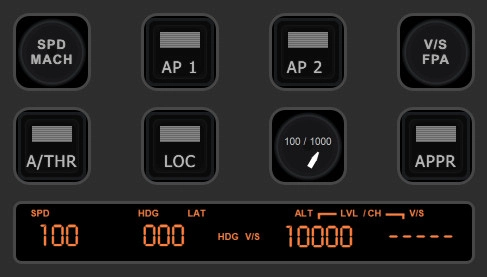
This add-on provides a Stream Deck+ profile specifically designed for controlling the A320 Neo V2 in MSFS 2024. It features three pages that enable users to manage crucial aircraft functions such as Navigation Screen and Radar, Barometer settings, Autopilot, Landing Gear, and Brakes. The installation requires the Stream Deck+ and the PilotsDeck plugin, along with additional components like MobiFlight WASM and FSUIPC7 for full functionality. Users should also install the Digital-7 font for an optimized visual experience.
par aimoii
Stream Deck+ profile to control MSFS 2020/2024 Garmin G1000
This Stream Deck+ profile provides a comprehensive control system for the Garmin G1000 in Microsoft Flight Simulator 2020 and 2024, featuring three pages dedicated to Barometer, Autopilot, and Garmin G1000 PFD/MFD controls. It is compatible with all aircraft equipped with the Garmin G1000, although some functionalities may vary based on specific G1000 versions. To utilize this profile, users need a Stream Deck+, the PilotsDeck plugin, and associated modules such as MobiFlight WASM and FSUIPC7 for full functionality.
par aimoii
Stream Deck+ profile to control Cirrus Vision Jet G2 (MSFS 2024)
This add-on provides a Stream Deck+ profile specifically designed for the Cirrus Vision Jet G2 in Microsoft Flight Simulator 2024. It features two pages that allow users to control essential functions such as Barometer settings, Autopilot, and Garmin PFD & MFD screen controls. Users will need the Stream Deck+ and the PilotsDeck plugin to utilize this profile effectively. Installation of additional components, including MobiFlight WASM and FSUIPC7, may also be required for full functionality.
par aimoii
Stream Deck+ Profile to control MSFS 2024 Boeing 737 Max (Asobo)
This add-on features a Stream Deck+ profile designed specifically for controlling the Boeing 737 Max in MSFS 2024. It provides three pages of functionality for managing the PFD, ND, barometer, autopilot, landing gear, brakes, and flaps. Required components include the PilotsDeck plugin and other installations such as MobiFlight WASM and FSUIPC7 for full operation. Additionally, users will need to install the Digital-7 font to utilize the profile effectively.
par aimoii
Connectez-vous pour participer à la discussion
Se connecterCommentaires(26)
about 9 hours ago
Pressing the dial switches the PFD indication to STD, but the altimeter keeps the previous QNH, so indicated altitude doesn't change. Leaving STD works fine.
Under Dial Down the profile saves the current pressure and flips XMLVAR_Baro1_ForcedToSTD, but never sends the standard value to the altimeter. Adding one more command fixed it for me:
CALCULATOR: 16212 (>K:2:KOHLSMAN_SET), condition XMLVAR_Baro1_ForcedToSTD != '1', placed last so it doesn't overwrite the saved pressure.
(1013.25 x 16 = 16212, same scaling you already use for SavedPressure.) Been flying with it for a couple of weeks now and it behaves exactly like clicking the knob in the cockpit.
about 7 hours ago
about 1 month ago
about 1 month ago
When you create folder and restart Stream Deck / PilotsDeck plugin, it should be available to be used.
I have example how to create folder and copy images with another profile, you could check that as well https://youtu.be/SzXUqxMr5U4?si=JUKWpiBLKv0jT0DH&t=78
about 1 month ago
about 1 month ago
about 1 month ago
I have tutorial series where I cover this topic depending on the button type. Here is the guide for 'normal' buttons:
https://youtu.be/Hv4R8pb0qoE?si=-cJKn8HsJeD8WLz5&t=155
And if you are setting up Composite button:
https://youtu.be/e6YfcnAqXLI?si=S2Rh51AMcTDcv1to&t=156
3 months ago
3 months ago
5 months ago
Johan
5 months ago
Johan
5 months ago
7 months ago
1. Added flashing master caution/warning buttons on Page 3.
I have them on Starship so it was a 2 min job to port them over
2. Combined the Baro (removed from page 2) into the Alt knob on page 1
'Tap the screen to switch between !'
3. Added a Course knob to the Heading knob on page 1
Again, tap the screen to switch.
4. Doing that cleared the way for 2 additional range zoom knobs on page 2
Pilot and Copilot PFD
5. Finally, I moved buttons around on the AP pages to make things a bit easier for my brain.
Personal taste as brains vary :)
You can get it here if you'd like to incorporate any of my changes back into your version:
https://www.dropbox.com/scl/fi/6lo38cyr550qyet2e0p4c/Longitude-1.3.streamDeckProfile?rlkey=jic517fkwhuedev519i6kxj9g&st=29tqdonl&dl=0
Anyway, thanks again!
7 months ago
7 months ago
8 months ago
Could you replace the AT indicator with the VNAV button ?
(Or can you explain me how to do it myself ?!!)
Thanks for your work !!
Max
8 months ago
I am planning to have some updates soon for this profile, also VNAV included. Meanwhile, if you haven't check my build guide series in my channel, that might help you https://www.youtube.com/watch?v=DQOa7yLfDi8&list=PL_j2bl-uw9xFdxFwlzT4QosIALjObRVEk
8 months ago
Just a suggestion, the first page will be perfect as it is with VNAM instead of AT indicator, in a second page and third page should be nice to have internal and external lights buttons (the ones present in the overhead) and the anti icing sistems buttons.
7 months ago
Delete (or archive on another page) the AT button.
Copy the FLC button and put it in that slot where AT used to be.
Go into the "Value" and change it to: (L:XMLVAR_VNAVBUTTONVALUE, Number).
Go into the Commands tab and change the Command Address to AUTOPILOT_VNAV_MODE.
Go into the title field and change FLC to VNV, there are newline characters before it so the field looks empty, but isn't.
Enjoy!
:)
7 months ago