
Flightsim.to

    Description

    This profile includes three pages to control Barometer & Autopilot and Garmin G1000 PFD & MFD Screen Controls. This profile works for all the planes with Garmin G1000 and also in MSFS 2020 and 2024 versions. NOTE - Not all G1000 versions have all the functionalities available (e.g. LVL button)

    Installation & Requirements
    Stream Deck+ and PilotsDeck plugin are required. PilotsDeck plugin can be installed from https://github.com/Fragtality/PilotsDeck

    If PilotsDeck package installation does not include MobiFlight WASM and FSUIPC7 (as it should), please install them from:
    https://github.com/MobiFlight/MobiFlight-WASM-Module
    https://www.fsuipc.com/

    Import included profile Garmin G1000 into Stream Deck app (e.g. by clicking the file). Page 3 for MFD controls is using Home icon, which is included in the ZIP. Please copy the file into Pilot's Deck folder: Users\YOUR_USER_NAME\AppData\Roaming\Elgato\StreamDeck\Plugins\com.extension.pilotsdeck.sdPlugin\Images

    Activité des interactions
    TéléchargementsCommentairesÉchelles distinctes pour les téléchargements et les commentaires
    16 oct. Téléchargements: 3 Commentaires: 017 oct. Téléchargements: 1 Commentaires: 018 oct. Téléchargements: 6 Commentaires: 019 oct. Téléchargements: 8 Commentaires: 020 oct. Téléchargements: 3 Commentaires: 021 oct. Téléchargements: 5 Commentaires: 022 oct. Téléchargements: 5 Commentaires: 023 oct. Téléchargements: 2 Commentaires: 024 oct. Téléchargements: 3 Commentaires: 025 oct. Téléchargements: 3 Commentaires: 026 oct. Téléchargements: 1 Commentaires: 027 oct. Téléchargements: 3 Commentaires: 028 oct. Téléchargements: 1 Commentaires: 029 oct. Téléchargements: 0 Commentaires: 030 oct. Téléchargements: 2 Commentaires: 031 oct. Téléchargements: 1 Commentaires: 001 nov. Téléchargements: 1 Commentaires: 002 nov. Téléchargements: 4 Commentaires: 003 nov. Téléchargements: 1 Commentaires: 004 nov. Téléchargements: 0 Commentaires: 005 nov. Téléchargements: 4 Commentaires: 006 nov. Téléchargements: 1 Commentaires: 007 nov. Téléchargements: 2 Commentaires: 008 nov. Téléchargements: 2 Commentaires: 009 nov. Téléchargements: 2 Commentaires: 010 nov. Téléchargements: 4 Commentaires: 011 nov. Téléchargements: 0 Commentaires: 012 nov. Téléchargements: 3 Commentaires: 013 nov. Téléchargements: 1 Commentaires: 014 nov. Téléchargements: 2 Commentaires: 0
    16 oct.30 oct.14 nov.
    74
    Téléchargements
    0
    Commentaires
    Dernier commentaire il y a 31 jours
    Le créateur répond à 80% des commentaires

    Connectez-vous pour participer à la discussion

    Se connecter

    Commentaires50

    mastb·about 1 month ago
    Hi,
    Great profile! However, the VS does appear to work. Looking at the coding, it appears that it sets FLC speed only, which is the button below it. Am I missing something? Thanks, Bill
    aimoiiAuthor·about 1 month ago
    Hi there! :) Maybe I am not completely understand the issue, VS button should control only VS mode and FLC controls FLC mode. And based on the active mode the third knob / screen controls the selected speed.

    Did you mean that for some reason VS button toggles FLC mode for you?
    quasiXBL·about 1 month ago
    I accidentally discovered that this even mostly works for the PC-12 Honeywell avionics!
    aimoiiAuthor·about 1 month ago
    Nice, thank you for the update! :)
    alexptlx
    ·2 months ago
    I use this literally on every GA aircraft and in 90% it works perfect. Specially useful for HDG and FLC/IAS, as APPR and HDG/NAV switch. Thank you! Also using your Vision Jet profile.
    aimoiiAuthor·2 months ago
    Very nice to hear this profile is compatible with so many planes, thank you!
    Thatoneaviator5
    ·2 months ago
    amazing profile! Do you have any plans to make profiles for older GPSs such as gns 430/530? Struggled to find one that doesnt need Axis and Ohs
    aimoiiAuthor·2 months ago
    Thank you so much for the feedback! :) Currently 430/530 profile is not in my plans in near future, but I might take a look for that as well in some point.
    zytron
    ·3 months ago
    Works great...... Thank you
    mbchagas
    ·4 months ago
    Just got myself a stream deck and found your profiles, this is as perfect as it could be. Thank you!
    alexptlx·6 months ago
    This is the first comment I'm leaving on site. Very well done. Works perfectly with Cirrus SR22T. Only the NAV button doesn't work and show a yellow triangle.
    Can I send some tips to you?
    alexptlx·6 months ago
    Never mind. I found and bought you a coffee. Didn't know it was an option 😊
    aimoiiAuthor·6 months ago
    Thank you so much for the support, and especially to report the button issue. It seems there has been some changes and Cirrus SR22T does not use the same control event anymore as previously. I need to check the whole profile and all G1000 planes to see what to update. :)
    alexptlx·6 months ago
    I totally don't understand how does this thing works, but is it possible to add a button on one of the 2 empty fields somehow? Fuel switch button, as I'm annoyed every time look down and switch the fuel selector knob :)
    And btw NAV button suddenly started working o.O
    Zadma·7 months ago
    This is fantastic and I've got every function up and running except for the knob to increase/decrease the target V/S. FLC works great to set the target speed in kts, but changing to V/S doesn't allow for the knob to increase/decrease fpm climb/descent. What am I missing?
    Zadma·7 months ago
    Actually I figured out how to fix this on my own - definitely a learning curve as this is my first exposure to variables in the sim. What I'm trying to figure out now is creating a button just like AP but for the FD.
    aimoiiAuthor·7 months ago
    Happy to hear you managed to get all working! :) If you haven't yet followed my guide for building and customizing these profiles, check it out from here https://www.youtube.com/watch?v=3cqkQFJGxk8&list=PL_j2bl-uw9xFdxFwlzT4QosIALjObRVEk&index=2
    liszt14
    ·8 months ago
    It's a very good profile showing a very new and effective way to interact with G1000 in game. Really appreciate it! I am even thinking buying another stream deck to avoid switching between pages too often , ha ha.
    aimoiiAuthor·8 months ago
    Happy to hear! :) And trust me, I know that feeling of having more Stream Decks... :D
    MSFS 2020MSFS 2024

    Stream Deck+ profile to control MSFS 2020/2024 Garmin G1000

    This Stream Deck+ profile provides a comprehensive control system for the Garmin G1000 in Microsoft Flight Simulator 2020 and 2024, featuring three pages dedicated to Barometer, Autopilot, and Garmin G1000 PFD/MFD controls. It is compatible with all aircraft equipped with the Garmin G1000, although some functionalities may vary based on specific G1000 versions. To utilize this profile, users need a Stream Deck+, the PilotsDeck plugin, and associated modules such as MobiFlight WASM and FSUIPC7 for full functionality.


    Téléchargements2K
    Version1.0
    Taille du fichier35.10 KB
    PubliéIl y a 1 an
    Mis à jourIl y a 1 an

    Avis des utilisateurs

    5.0

    10 avis

    5
    100%
    4
    0%
    3
    0%
    2
    0%
    1
    0%

    Historique des versions

    Aucun historique de version disponible.

    Similaires
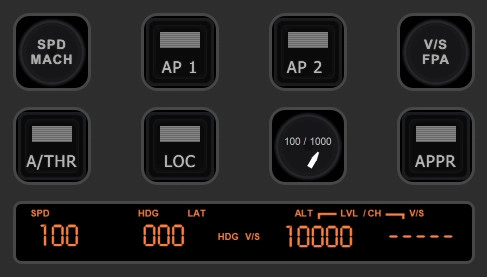
    MSFS 2020/2024 - A320 Neo  V2 Stream Deck+ Profile

    MSFS 2020/2024 - A320 Neo V2 Stream Deck+ Profile

    This add-on provides a Stream Deck+ profile specifically designed for controlling the A320 Neo V2 in MSFS 2024. It features three pages that enable users to manage crucial aircraft functions such as Navigation Screen and Radar, Barometer settings, Autopilot, Landing Gear, and Brakes. The installation requires the Stream Deck+ and the PilotsDeck plugin, along with additional components like MobiFlight WASM and FSUIPC7 for full functionality. Users should also install the Digital-7 font for an optimized visual experience.

    par aimoii
    5.0
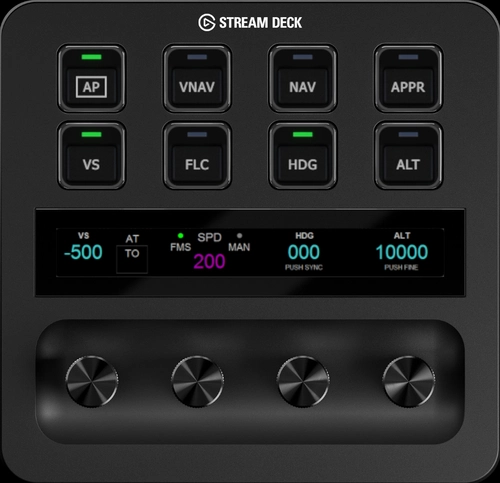
    MSFS 2020/2024 - Cessna Citation Longitude Stream Deck+ Profile

    MSFS 2020/2024 - Cessna Citation Longitude Stream Deck+ Profile

    This add-on provides a Stream Deck+ profile designed specifically for controlling the Cessna Citation Longitude in Microsoft Flight Simulator 2024. It features six pages for easy access to various functions, including barometer settings, autopilot controls, and MFD map zoom. Users will need the Stream Deck+ hardware and the PilotsDeck plugin to utilize this profile. Additional components such as MobiFlight WASM and FSUIPC7 may also be required for full functionality.

    par aimoii
    4.8
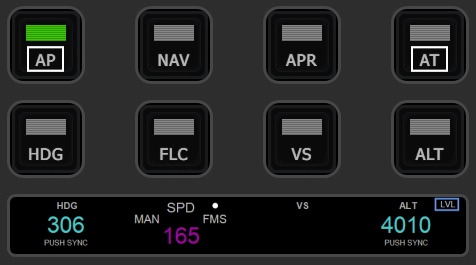
    Stream Deck+ profile to control Cirrus Vision Jet G2 (MSFS 2024)

    Stream Deck+ profile to control Cirrus Vision Jet G2 (MSFS 2024)

    This add-on provides a Stream Deck+ profile specifically designed for the Cirrus Vision Jet G2 in Microsoft Flight Simulator 2024. It features two pages that allow users to control essential functions such as Barometer settings, Autopilot, and Garmin PFD & MFD screen controls. Users will need the Stream Deck+ and the PilotsDeck plugin to utilize this profile effectively. Installation of additional components, including MobiFlight WASM and FSUIPC7, may also be required for full functionality.

    par aimoii
    5.0
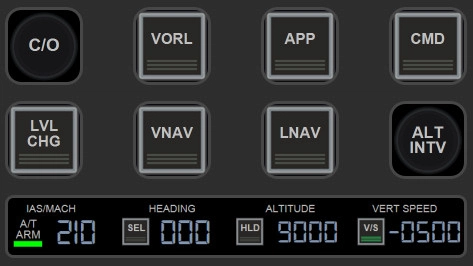
    Stream Deck+ Profile to control MSFS 2024 Boeing 737 Max (Asobo)

    Stream Deck+ Profile to control MSFS 2024 Boeing 737 Max (Asobo)

    This add-on features a Stream Deck+ profile designed specifically for controlling the Boeing 737 Max in MSFS 2024. It provides three pages of functionality for managing the PFD, ND, barometer, autopilot, landing gear, brakes, and flaps. Required components include the PilotsDeck plugin and other installations such as MobiFlight WASM and FSUIPC7 for full operation. Additionally, users will need to install the Digital-7 font to utilize the profile effectively.

    par aimoii

    5.0