
Description
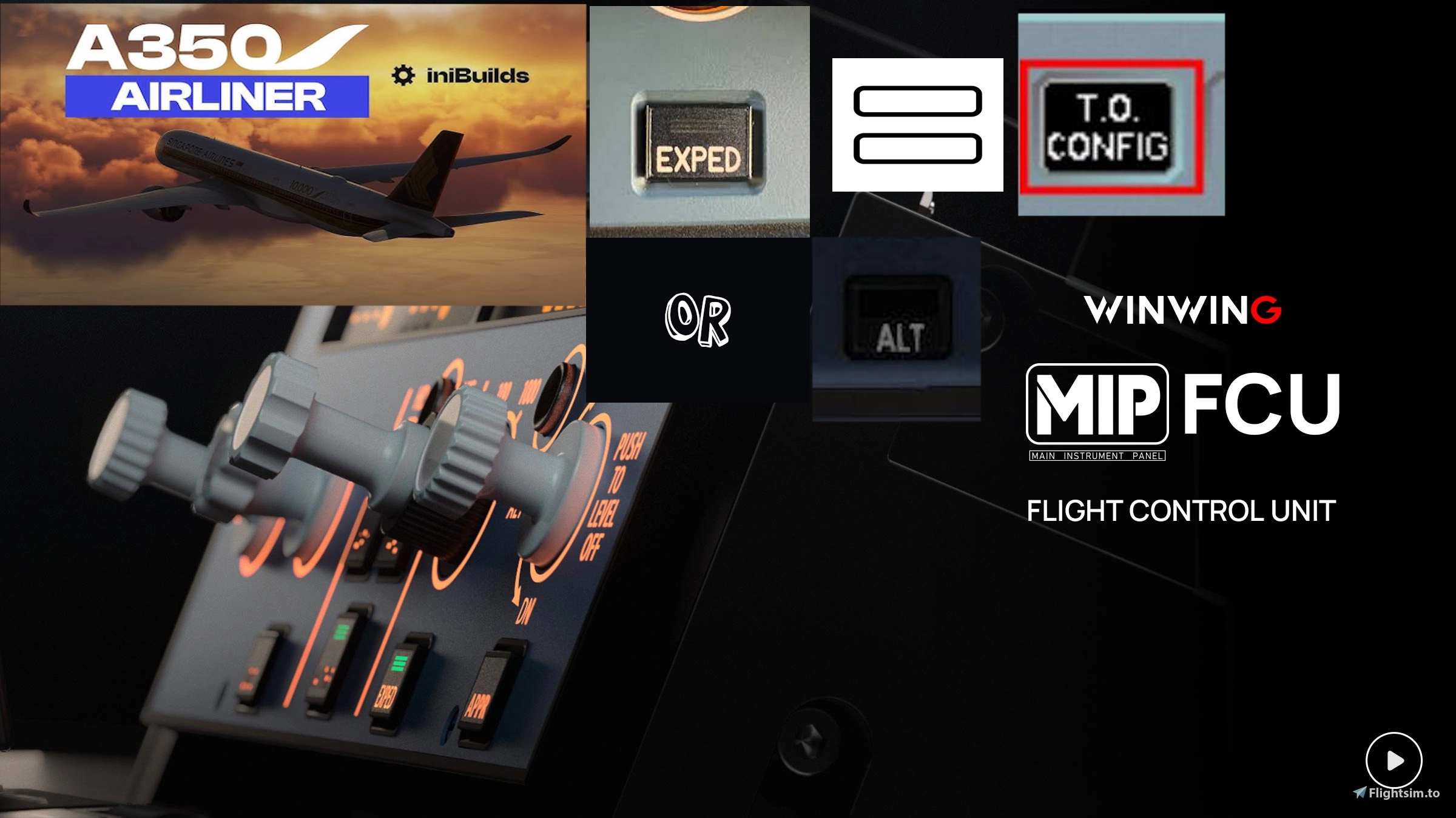
Mobiflight Profile for the Inibuilds A350.
Update 1.101
-Efis Support addded (Read Functionality below)
Update 1.1
- Bug Fixed: Alt Mode Selector 100/1000 Opposite (Will now scan for the FCU possition and translate it into Sim every 5 seconds)
- Added: Additional Profile wich will Use Exped button as ALT LVL OFF Button for accurrate Button Positioning
-------------------------------
Functionality:
- All the Basics are working
- Brightness of LCD is linked to the Aircraft LCD brightness (can be regulated Using the knob underneathe Range Knob)
- Brightness of Background Lights are also linked to the Airplane (can be regulated using the knob above Brake fans and underneathe ALT)
Profile: IniBuilds A350 EXPED TOCNFG
- Alt Button (Level OFF) will Activate by Pushing VS button in
- EXPED button is the T.O Config button
Profile L-EFIS:
-Same as above plus...
- All buttons, lights and modes of EFIS working as they should exept ADF2 / VOR2
- ADF2 enables a mode called RNG UNLOCK, its purpose is to guarantee functionality of the Zoom function for BTV in the A350 and fully working Range knobs on the Winwing EFIS.
-To use zoom for BTV you will need to turn the switch to ADF2 position and then manually get into zoom mode using the A350s ND RNG Knob.
-Using the Winwing ND RNG Knob while in this Mode will not work
- Using the A350s ND RNG Knob while not in this Mode wont work because it will snap back to the Position of the RNG on your WInwing.
- for better awareness NDB and ARPT will blink when RNG is in UNLCK mode.
-VOR2 on your winwing Efis allows for RNG 640.
-ADF1 and VOR 1 are fully operational.
-STD BARO is set by PUSHING Baro Knob like in the A350, not pulling as it says on the knob
Profile: IniBuilds A350 EXPED ALT LVL OFF
- EXPED button will be the ALT button due to its Position in the A350
- VS Push will not have any effect
-------------------------------
INOP:
(Regarding T.O Config: The button will illuminate once pressed. to reset it Hold EXPED for 5 seconds. YES it is the TO CONFIG Button, NO i couldnt link it directly to the ECAM T.O Normal (Green) nor the T.O Test (Blue). I've tried but i didn't find a valid variable
- True/Mag is INOP (not enough buttons on FCU)
-------------------------------
If you find Bugs etc or the Variable wich is used for the ECAM TO Config Blue/Green please make sure to report them here
There are two Profiles in this package one which will use FCU's EXPED as T.O Config Button and One wich will use EXPED as ALT LVL OFF button for more freedom of Choise.
Other than that
Enjoy the A350 ;)
IniBuilds A350 | WinWIng FCU | L-EFIS Support | MobiFlight Profile
This MobiFlight profile is designed for the IniBuilds A350 in Microsoft Flight Simulator 2020, providing essential functionality for a more immersive flying experience. It enables the operation of the brightness controls for both the LCD and background lights, as well as various buttons such as the Altitude and T.O Config. Some features are currently inoperative due to button limitations on the FCU, with plans for future updates to enhance functionality. Users are encouraged to report any issues or bugs encountered during use.


Avis des utilisateurs
2 avis
Historique des versions
- Bug Fixed: Alt Mode Selector 100/1000 Opposite (Will now scan for the FCU possition and translate it into Sim every 5 seconds) - Added: Additional Profile wich will Use Exped button as ALT LVL OFF Button for accurrate Button Positioning
Similaires
Aerosoft CRJ V.2 | WinWIng FCU | WITH Left EFIS | MobiFlight Profile
This add-on provides a Mobiflight profile specifically designed for the Aerosoft CRJ V2, featuring configurations with and without a left EFIS. It enables basic functionality through knob and button interactions, including autopilot controls, navigation functions, and altitude management. While the profile offers many features, it also includes certain limitations due to the CRJs system design, particularly regarding the EFIS functionalities. Installation instructions are provided for integrating the profile into the Microsoft Flight Simulator environment.
par PA0049
Fokker F28 v2 | WinWing FCU |MCDU (Buttons only)| MobiFlight Profile
The Fokker F28 v2 add-on enhances the Just Flight F28 with a tailored MobiFlight Profile designed for the WinWing FCU. This profile includes key features such as vertical speed adjustment, altitude hold functionality, and the ability to dial vertical speed. Additional notes indicate compatibility with the BETA mode of MobiFlight and provide specific guidance for installation and usage.
par PA0049
Fokker F28 v1.0 | WinWing FCU | MobiFlight Profile
This add-on provides a MobiFlight profile designed for the WinWing FCU and JustFlight Focker F28 Professional series aircraft. It mirrors the functionality of the original profile created by sushiat for the miniCockpit miniFCU, featuring key functionality and controls specific to the F28. The profile includes details on operational nuances and known limitations, as well as comprehensive installation instructions for users.
par PA0049
Connectez-vous pour participer à la discussion
Se connecterCommentaires(54)
about 1 year ago
about 1 year ago
about 1 year ago
over 1 year ago
over 1 year ago
Can you be more specific? Are you trying to use this with the A300? Where does it say A300? What exactly isn't working?
Im gonna take a look anyway and try to guess what you mean
over 1 year ago
about 1 year ago
about 1 year ago
over 1 year ago
over 1 year ago
- When selecting a profile via mobiflight make sure you look in C:\Users\...\AppData\Local\MobiFlight\MobiFlight Connector\SELECT PROFILES and that you have pasted the downloaded file here
- To select files open Mobiflight go to File/Open and make sure once the Open window appears that you select to look for Mobiflight Files (*.mfproj;*.mcc) in the lower right side
I hope that will fix it, if not report back to me ;)
over 1 year ago
over 1 year ago
Can it be used with both EFIS (L and R)
Thank's for your job
Yves
over 1 year ago
I dont exactly know what you mean but since there are only 2 options i give you both answers:
- If you have both Efis and are afraid that the program wont do its job or that there will be a CTD, Dont be, it should work even if you also have the right side Efis
- If you want Left Efis and Right side Efis full supported, that is not happening with this one im afraid, since i dont have Right side Efis and therefore couldnt add right side efis support. However there is someone who also has done that so you can download his file
: https://de.flightsim.to/file/89151/winwing-fcu-l-r-efis-profile-pack-for-inibuilds-airbus-a350-900-1000
hope that answers your question :)
Regards
over 1 year ago
I just saw the file with both EFIS and downloaded it..
Have a good evening
yves
over 1 year ago
over 1 year ago
If it is annoying just load MF and add a line without content and hit save. it will then be saved as mfproj. However thats more cosmetic. On my pc i have many double files now from developing XD