
Description
Fly the MaddogX MD-80/83/88 Realistic Light Mod
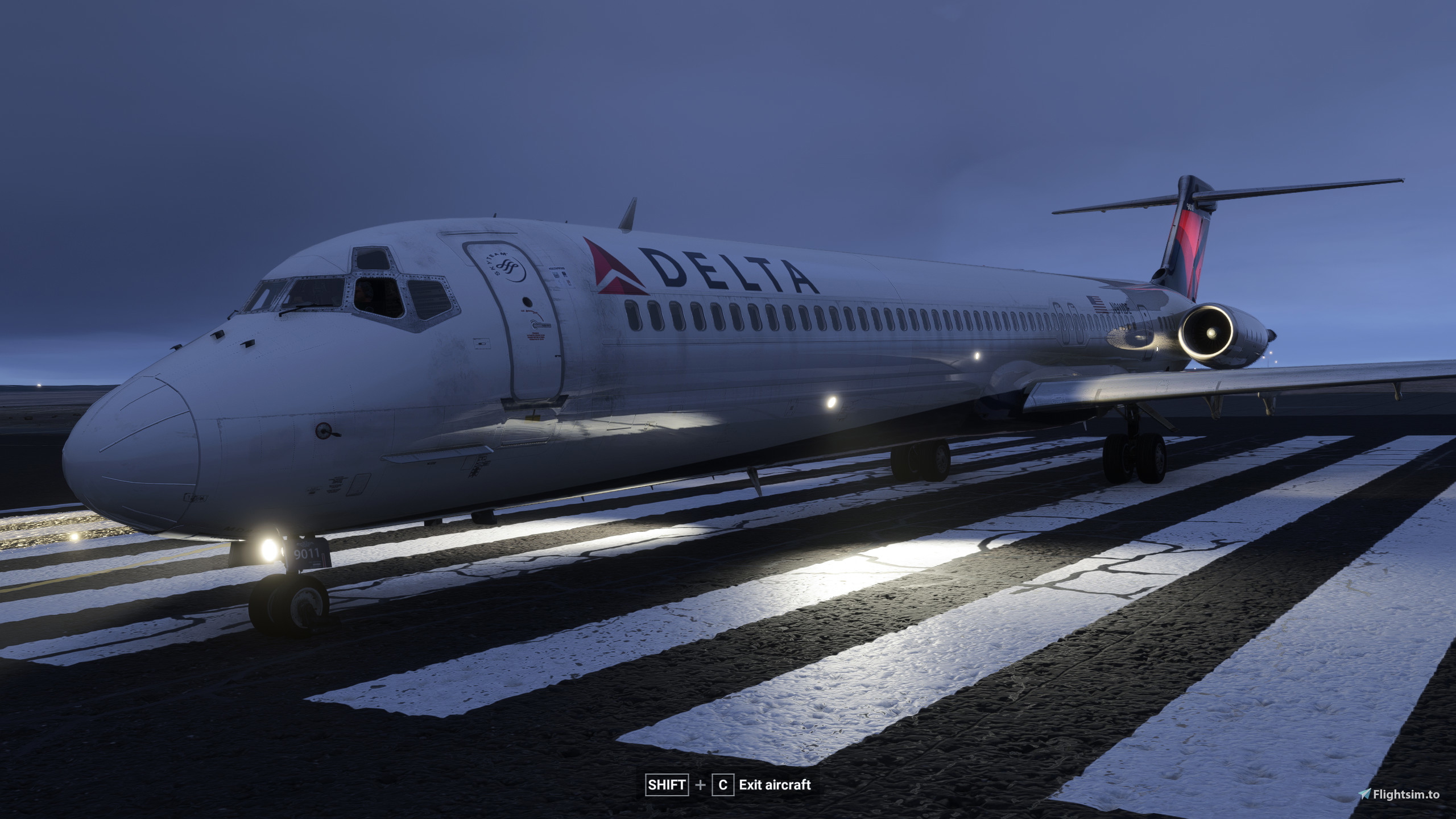
This mod enhances the exterior lighting of the MaddogX in MSFS2020/2024 by changing the wing/nacelle light to be a more warmish halogen light, making the beacon light red instead of orange, dimming the glare of the nav lights, and several other improvements. In addition this mod turns off the cabin light enabling more realistic night cabin screenshots.
To Install: Simply extract and copy the "lsh-maddogx-aircraft" folder into your community folder.
V1.3:
Added compatibility to the 20th anniversary Update (August 2026 Update)
V1.2:
Added compatibility to the Native 2024 version Update (July 25th 2026 Update)
V1.1:
Added compatibility to the 20th anniversary version of the Maddog X
V1.0:
Changed color of wing and nacelle light to be a warmer halogen color
Changed the color of the logo light to be a warmer halogen color
Changed the color of the taxi and landing lights to be a warmer halogen color
Changed the color of the logo light to be a warmer halogen color
Changed the color of beacon light to be completely red
Dimmed the pavement glare of the nav lights
Dimmed the taxi and takeoff lights
Turned off cabin lights
Removed the unrealistic beam of light from the landing lights, taxi lights and nav lights
Fly the MaddogX MD-80/83/88 Realistic Light Mod
Enhance the MaddogX MD-80/83/88s exterior lighting in MSFS2020/2024 with this mod, which introduces a variety of improvements for realism. Key changes include converting wing and nacelle lights to a warm halogen color, adjusting the beacon light to a vibrant red, and reducing glare from navigation lights. Additionally, the mod turns off cabin lights for more authentic nighttime cabin visuals.


Avis des utilisateurs
3 avis
Historique des versions
Updated compatibility to MaddogX August 2026 update.
Similaires
MSFS2020/2024 Cache Removal Tool
The MSFS2024 Cache Removal Tool is a utility designed to enhance the performance of Microsoft Flight Simulator 2024 by efficiently clearing accumulated caches, including DirectX and NVIDIA graphics caches. This tool helps in resolving issues like stutters and graphical glitches that may occur after driver updates or significant simulator patches. It provides a straightforward method to maintain optimal simulator performance with minimal user intervention. Users can easily execute the cleanup process with a simple batch file.
par tankibenc
iniBuilds A350 Realistic Beacon and Strobes (Fixed Orange Beacon)
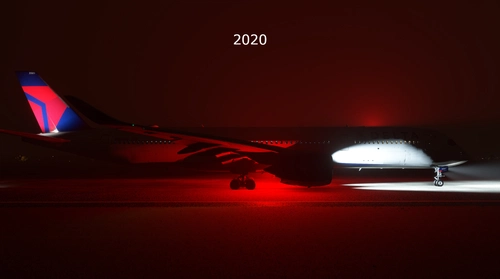
This add-on provides a fix for the iniBuilds A350, addressing the default beacon color and enhancing the visibility of strobe lights. The beacon color is changed from orange to red, and both the beacon and strobe lights intensity and range are improved for more realistic illumination. The mod includes separate installations for the 2020 and 2024 versions of the aircraft, with detailed installation instructions provided.
par tankibenc
Connectez-vous pour participer à la discussion
Se connecterCommentaires18
In that case could you please upload for the old version too ?
fs 2024. Suggestions? Thank you.
1. Extract it in a separate location (not in the folder where the Maddog is installed).
2. Rename this mod folder to something else. For example, I renamed it to 'lsh-maddogx-realistic-light-mod'. If you don't rename it, Addons Linker will spit an error because it has the same name as the base aircraft folder.
3. Copy it over to wherever you've kept your other installed addons.
4. Navigate to the base aircraft installation folder (lsh-maddogx-aircraft) and copy the manifest as well as layout json files. Paste them into the mod folder (lsh-maddogx-realistic-light-mod).
5. To update the layout json file, you can use the app MSFSLayoutGenerator.
6. To update the manifest.json, remove whatever was in it and copy/paste the following:
{
"dependencies": [],
"content_type": "Effects",
"title": "MaddogX Realistic Light Mod",
"manufacturer": "",
"creator": "tankibenc",
"package_version": "1.0.0",
"minimum_game_version": "1.38.2",
"release_notes": {
"neutral": {
"LastUpdate": "",
"OlderHistory": ""
}
}
}
7. Now when you open Addons Linker, it will show up as a simple enable/disable addon like the aircraft instead of as a folder.
Thank you very much :D