
Description
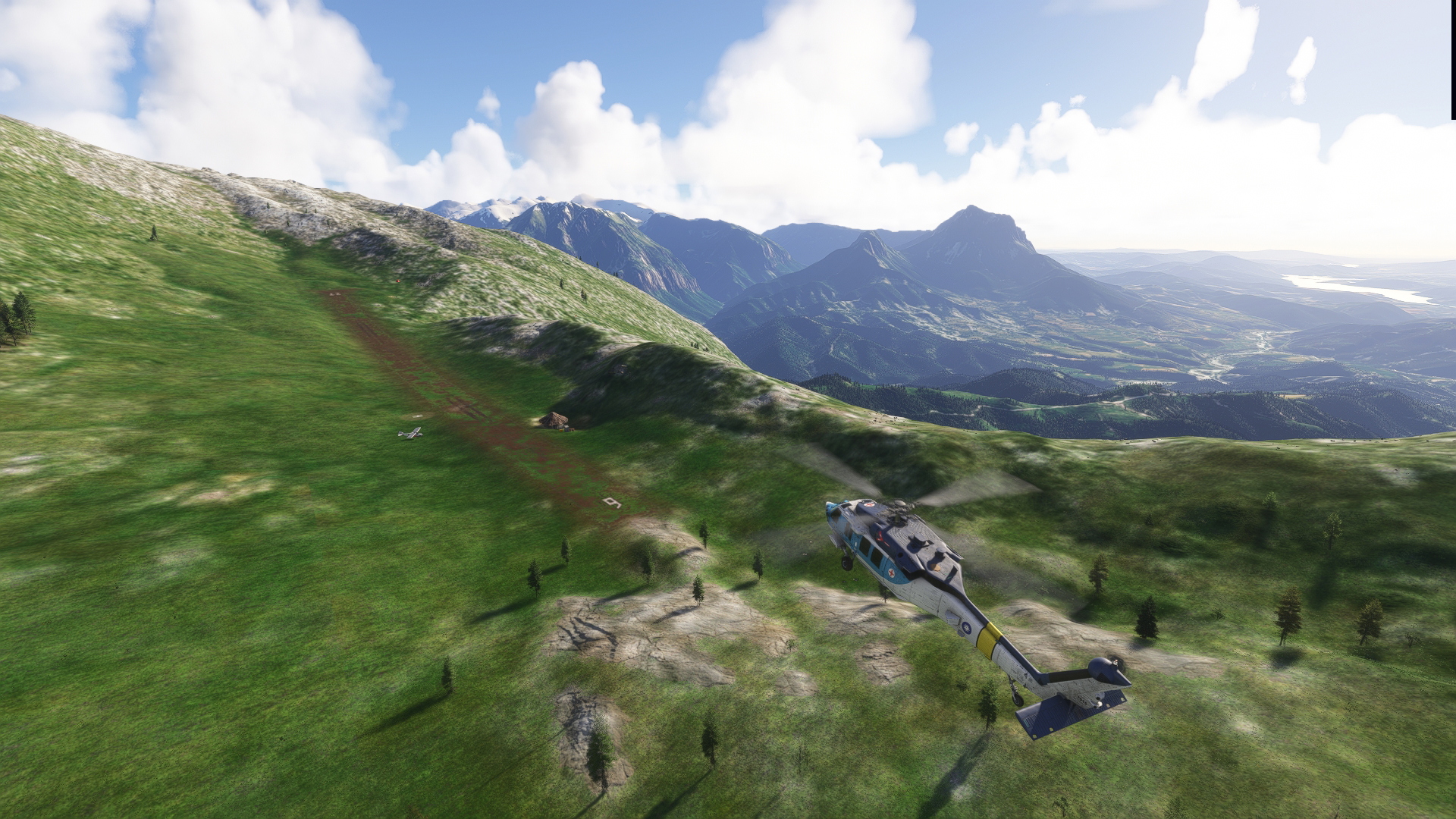
A collection of bush strips in the Spanish Pyrenees and especially the province of Huesca in the region of Aragon.
Originally conceived only for personal use and exploration, I came to realise that this package of airstrips in the Spanish Pyrenees might deserve a wider public. There are surprisingly few mountain strips in the Pyrenees, both in the real and virtual world.
These bush strips are completely fictional but I tried to integrate them as much as possible in the landscape. Some of them are quite challenging and can only be handled with dedicated STOL aircraft and helicopters (almost all of them have illuminated helipads). Last but not least I would like to draw your attention to the exceptional beauty of this part of the Pyrenees in the region of Aragon where they are at their highest.
For installation just unpack the zip file into your community folder. With each update it is a recommendable practise to first delete completely the previous version. I started with 12 airstrips in the proper Pyrenees; later versions added more airstrips, also in more southern parts of Huesca.
Mind that some areas in the central, southern Pyrenees (e.g. Barcabo and Merli) have strange spikes in the landscape; some kind of strange bug in the landscaping algorithms of Asobo that has nothing to do with my own landscaping and has been there since MSFS2020.
Version 1.3 is the last MSFS2020 version and can still be downloaded. From version 2.0 onwards it is intended to be used by MSFS2024.
This is the present list of the included airstrips:
- LEA1-Anisclo
- LEA2-Alins
- LEA5-Anglios
- LEA6-Abenozas
- LEA8-Aren
- LEA9-Anayet
- LEB1-Bentue
- LEB3-Barcabo
- LEB4-Bellostas
- LEB5-Berganuy
- LEB6-Barbaricia
- LEB7-Binefar
- LEC1-Cajigar
- LEC4-Castillomayor
- LEC6-Cerler
- LEE1-Escarra
- LEE3-Esteban
- LEF1-Fantova
- LEG1-Guara
- LEG2-Gistain
- LEJ1-Juseu
- LEM1-Montanesa
- LEM2-Morano
- LEM3-Merli
- LEO2-Otin
- LEO3-Otal
- LEO4-Orosia
- LEP3-Penya
- LER1-Resuali
- LER2-Riguelo
- LES1-Selvaplana
- LES2-SanMartin
- LES4-Sotonera
- LES5-Sostal
- LESAR-Sarratillo
- LET1-Turbon
- LET3-Tamurcia
- LT1A-Turbonrefugio
Almost mandatory for completeness and more liveliness I strongly recommend installing the following libraries (MSFS2024 versions) from flightsim.to:
EDHK Lights & Objects Developers Pack: https://flightsim.to/file/2549/edhk-lights-pack
Dave's Crooked Library:https://flightsim.to/file/4696/dave-s-crooked-library
Mikea.at – AssetPack: https://flightsim.to/file/1923/mikea-at-assetpack
Emerald Object Library: https://flightsim.to/file/8824/emerald-object-library
Ethnicfs Buildings kit library: https://flightsim.to/file/44283/ethnicfs-buildings-kit-library
Ethnicfs vehicles library: https://flightsim.to/file/43395/ethnicfs-cars-library
Ethnicfs Misc Scenery Objects: https://flightsim.to/file/45163/ethnicfs-misc-scenery-objects
Version 2.1 introduced many moving SimObjects and is a kind of showcase of my MSFS Route Editor application (https://flightsim.to/addon/108393/msfs-route-editor).
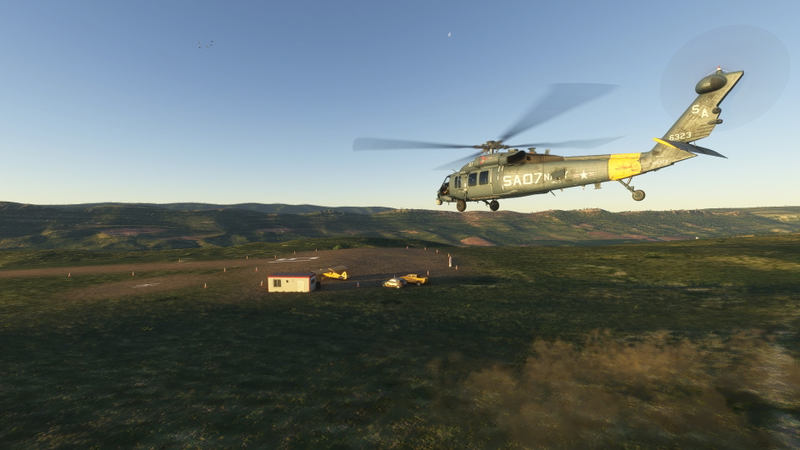
The moving vehicles, aircraft, animals and human beings make the scenery livelier but also add to the challenge of landing and taking-off: there is quite some risk of running into a wild boar, a Landrover or a hovering helicopter. Some nearby lakes and rivers are populated with sailboats and kayaks.
The airstrip LES2-SanMartin includes examples of area and proximity triggering in the nearby El Mediano lake. Use the “Debug” menu in the Developer´s toolbar and then “World Objects” to see the triggers and the routes being triggered. For more information, have a look at the readme.pdf of the MSFS Route Editor add-on.
Be sure to download the necessary libraries of superspud. Also if you decide to add your own moving objects with the MSFS Route Editor (there is an empty example Project to get you going), these libraries are almost indispensable, and to help you with choosing and using the correct SimObject names, there is a file added with a list of the names to be elected from.
So if you want to see the moving SimObject in version 2.1 you have to download these additional libraries:
https://flightsim.to/addon/68151/moving-vehicle-simobject-library
https://flightsim.to/addon/27908/moving-boats-3d-model-library
https://flightsim.to/addon/33166/animated-humans-library
Donations welcome.
Happy flying!
Location
12+ Bush strips in the Spanish Pyrenees
A collection of bush strips in the Spanish Pyrenees. Originally conceived only for personal use and exploration, I came to realise that this package of airstrips in the Spanish Pyrenees might deserve a wider public. There are surprisingly few mountain strips in the Pyrenees, both in the real and virtual world. These bush strips are completely fictional but I tried to integrate them as much as possible in the landscape. Some of them are quite challenging and can only be handled with STOL aircraft or a helicopter.
Avis des utilisateurs
13 avis
Historique des versions
- airstrips added - minor fixes - included moving SimObjects to almost all airstrips. Be sure to download the necessary libraries.
Similaires
Sky Dolly
Sky Dolly records and replays your flights. The flight data ("simulation variables") is automatically persisted in a logbook which allows you to sort and filter your recorded flights. Various import and export formats such as GPX, KML, JSON or IGC ("international gliding organisation") are supported. Sky Dolly is an external application (running outside of MSFS), developed with usability and efficiency in mind.
par Steeler
Duckworks DC-3
Enhance your experience with the Duckworks DC-3 improvement mod for the Aeroplane Heaven DC-3 in MSFS. This project offers various enhancements including a reworked flight model, improved textures, custom systems, and more for a realistic flying experience. Join the Duckworks Discord for support and updates on this ongoing project. Installation is simple - just copy the contents to your community folder and start exploring the updates.
par Imenes
Ethnicfs Vegetation library
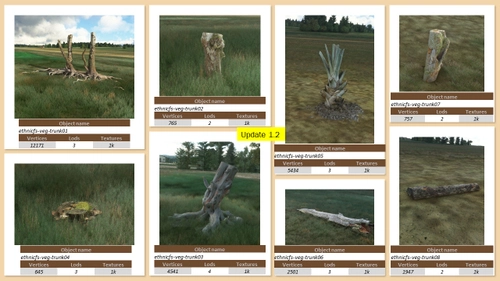
Add diversity to your Flight Simulator sceneries with the Ethnicfs Vegetation Library. This collection offers various types of trees to enhance your visuals, with more vegetation types coming soon. Remember to comply with the creators terms of use when incorporating these assets into your scenery projects.
par ethnicfs
MSFS HudBar
Configurable display for more than 100 essential Information items as Bar, Tile or Window. Supports 1 to 4 engine aircrafts (Prop/Engine RPM, FuelFlow for each); Provides 5 different content profiles which are fully configurable; The pilot can directly activate Autopilot commands Auto Elevator Trim on a click; Bottom Bars work best with wide screen monitors; AutoSave of the Flight (FLT file) at 5 Min intervals Flight; Recording to KML File
par bm98ch
Connectez-vous pour participer à la discussion
Se connecterCommentaires(46)
2 months ago
2 months ago
2 months ago
2 months ago
over 2 years ago
over 2 years ago
over 3 years ago
Having a great time with these in the Sting S4. Been meaning to go to the Pyrenees IRL and this has just reminded me...perhaps this year?
over 3 years ago
This is great fun! My kind of Strips! Had great fun finding and working out the best approaches. Not visited all yet but every one so far has been excellent!
almost 4 years ago
Thanks for your work. Maybe you could change the page title to reflect the increase in airfields which is now more than the 12 advertised?
over 4 years ago
Nice, Tx!
about 5 years ago
When updating MSFS, for example to the latest 1.17.3 version, very often my (and other) custom airports don´t appear on the map, but are present in the actual scenery.
As mentioned earlier, this common trick should work: de-install the addon by moving it from the Community folder, start MSFS, fly and shut it down. Re-install the add-on and restart MSFS.
Another trick that worked for me on the 1.17.3 update was: deleting the content.XML and let MSFS rebuild it.
It’s found here
C:\Users<your_username>\AppData\Local\Packages\Microsoft.FlightSimulator_8wekyb3d8bbwe\LocalCache
over 5 years ago
Hi
version 1.2 is not here. File to download is the same old one with most recent content dated 2021-05-31
over 5 years ago
Sorry, you are absolutely right. Something went wrong when uploading. The thing must be solved by now.
over 5 years ago
Thank you for your work on this. Because of your package it was one of my fav places to fly. I'm disappointed though that the changes you've made require the DEM package. I'm not a fan of them as they throw everything else off that hasn't adjusted to them. I realize I can still run V1.0, but is there a possibility that you'll include the newer airstrips and additions into a package that does not require the DEM? I would hate to abandon this mod.
over 5 years ago
I have checked my three new airstrips without the DEM package and they just seem fine, with only some very minor glitches. So you can download my 1.1 package and only install these 3 airstrips. Personally and if you really love mountain flying, I would go for the DEM package and request other scenery designers to adapt their scenery.
over 5 years ago
OK. Thank you for clarifying. I appreciate that. It's too much right now to install the DEM and constantly link it in and out, trying to remember which airports it works with and which ones it doesn't, even if some other dev's get on board. There are more that haven't, so I'll just put this mod on the back burner for now.
over 5 years ago
over 5 years ago
over 5 years ago