
Description
A lightweight quality-of-life mod for Microsoft Flight Simulator 2024 that automatically skips the “Ready to Fly” confirmation screen and takes you straight into the game.
Features
- Works on initial flight load and flight restart
- No toolbar panel
- No visible UI
- No extra windows or popups
- Lightweight JavaScript runtime injection
- No edits to core MSFS files
- Simple Community folder install
How It Works
The mod injects a tiny runtime into the UI and safely triggers the same internal Ready To Fly button action a user would normally click manually.
v1.2 Now skips the initial "Start" button
Installation
- Extract the folder:
craigybabyj-auto-ready-to-fly - Place it into your MSFS 2024 Community folder.
- Launch the simulator and load into a flight as you normally would.
Notes
- The "Ready To Fly" screen may appear very briefly depending on system speed and UI load timing.
- This mod does not modify aircraft, flight models, scenery, or save files.
- Designed for Microsoft Flight Simulator 2024 only.
🌐 Website — craigybabyj.com
💬 Discord — discord.craigybabyj.com — support, bug reports and updates
🛬 Beat My Landing — beatmyland.ing — Prove it. Perfect it. Beat it.
Auto Skip "Ready To Fly"
Auto "Ready To Fly" Skip for Microsoft Flight Simulator 2024 A lightweight quality-of-life mod for Microsoft Flight Simulator 2024 that automatically skips the “Ready to Fly” confirmation screen and takes you straight into the game.


Avis des utilisateurs
7 avis
Historique des versions
## Changelog — v1.3.2 ### Fixed - **Grey horizontal bar at top-middle of screen** (most visible in cockpit, sometimes intermittent across loads). The `Communications_Unfocused` bootstrap cookedcomp was mirroring the original widget's visible children (`Blur` / `AccessibilityLayer` / `Background`), which rendered as a ~546×16px grey strip. v1.3.1's hide rules only covered the appended boot child, not the parent container.
Similaires

✈️ MFS Cleaner / Fixer
Clean, fix and maintain Microsoft Flight Simulator 2020 and 2024 with cache cleanup, DLSS management, startup control, MSFS 2024 settings editing, automatic backups and recovery tools.
par CraigyBabyJ
Briefy — The SimBrief Panel
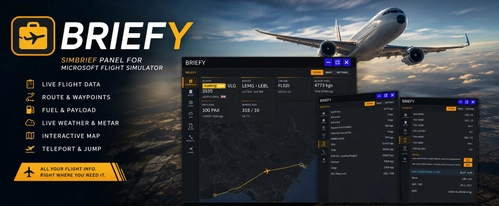
Briefy is an in-game toolbar panel for Microsoft Flight Simulator providing direct access to your SimBrief Operational Flight Plan in the cockpit. It features a moving map, waypoint teleportation, live METAR and TAF weather data, and real-time in-sim weather information. The addon includes dashboards for flight and fuel planning, interactive route mapping, and multiple customization options. No external devices or browser switching required for flight planning and dispatch integration.
par craigybabyj

Landing Stats + Competitive Leaderboards
BeatMyLanding is a Windows telemetry agent for Microsoft Flight Simulator that provides an in-sim post-landing toast overlay with a detailed landing score. It automatically logs each landing to online leaderboards, tracking performance across global, temporal, and filtered categories. The scoring system uses multiple penalty factors and adjusts for landing difficulty, enabling comparative analysis. A pilot profile, leaderboard filters, and optional Discord integration are also included.
par craigybabyj
MFS2024 Content Wrangler
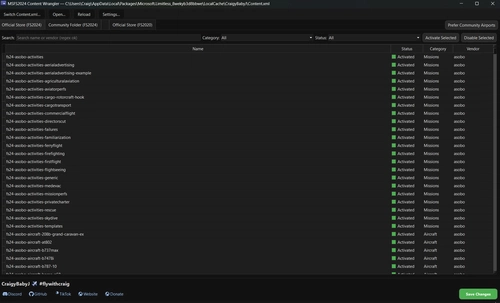
The MFS2024 Content Wrangler is a desktop application designed for managing add-ons in Microsoft Flight Simulator 2024. It provides an organized view of installed packages, complete with features to activate, disable, and filter content easily. Tailored for the Microsoft Store version of the simulator, the tool simplifies package management while ensuring safety through automatic backups and intelligent thumbnail handling.
par CraigyBabyJ
Connectez-vous pour participer à la discussion
Se connecterCommentaires(42)
3 months ago
3 months ago
3 months ago
3 months ago
If not then this is a new bug, let me know
3 months ago
3 months ago
Could you let me know if the white bar is visible all the time, or does it only appear briefly and then disappear? If possible, a screenshot or short video would also be very helpful.
I appreciate the feedback and I'll look into it further.
3 months ago
Can you try this:
1. **Fully close MSFS 2024.**
2. Go to your Community folder and **rename** the `craigybabyj-auto-ready-to-fly` folder to something else.
OR clear the cache — delete everything inside:
`C:\Users\\AppData\Local\Packages\Microsoft.Limitless_8wekyb3d8bbwe\LocalCache\Packages\CommunityCache\`
That should force the sim to load the new mod from scratch instead of the cached old ones. Let me know if the grey bar is gone after that 👍
CraigyBabyJ
3 months ago
4 months ago
Any advise?
3 months ago
1. **Make sure you're on the latest version (v1.3.1)** — re-download from this page and replace the folder in your Community folder.
2. **Folder path check** — it needs to be at:
`...\Packages\Microsoft.Limitless_8wekyb3d8bbwe\LocalCache\Packages\Community\craigybabyj-auto-ready-to-fly\`
(manifest.json should be directly inside that folder, not nested in a second subfolder).
3. **Full restart of MSFS 2024** — not just back to main menu, fully close and relaunch the sim so the cookedcomps reload.
4. **No conflicting mods** — any other mod that touches the main menu / Ready To Fly screen can override this one. Try with only this mod active to confirm.
5. **MSFS 2024 only** — this is for MSFS 2024, not 2020.
If you've checked all that and it's still not firing, let me know:
- Your MSFS 2024 version
- Whether you see the Ready To Fly screen at all (or it skips past it without clicking)
- Any other UI / menu mods you have installed
Happy to dig in further once I know what you're seeing 👍
CraigyBabyJ
4 months ago
4 months ago