
Description
BeatMyLanding – Landing Toast + Competitive Leaderboards for MSFS
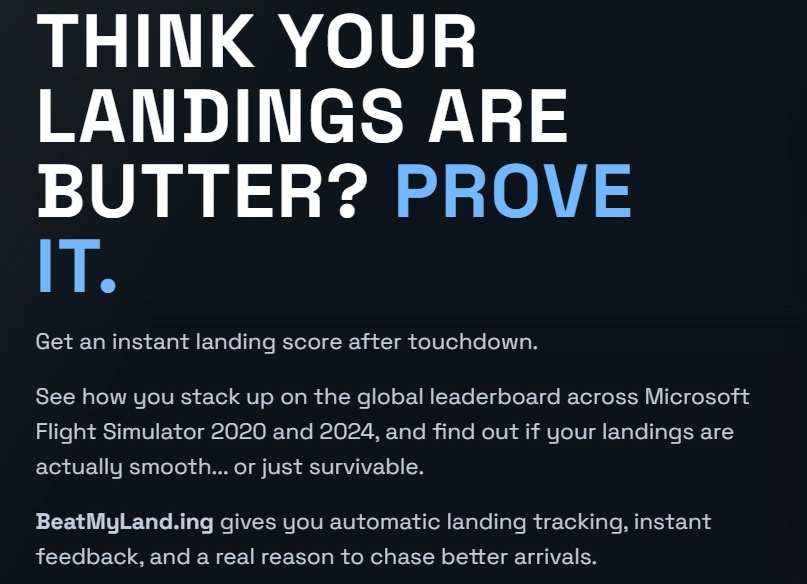
BeatMyLanding is a lightweight Windows telemetry app for Microsoft Flight Simulator that turns every landing into a competitive, data-driven challenge.
Instead of only showing one -FPM number, BeatMyLanding gives you a fast in-sim landing toast, a fuller scoring breakdown, and automatic uploads to global leaderboards at https://beatmyland.ing.
Because yes, we all judge landings anyway 😏
What It Does
- Detects touchdown (including bounces) automatically via SimConnect
- Shows a clean, readable landing toast overlay in-sim
- Uploads each landing to your pilot profile and leaderboards
- Runs quietly in the system tray and auto-connects to MSFS
- Replays your last landing toast with
Ctrl + Shift + R - Optional live community arrival toasts (see other pilots land)
Not Just “Lowest FPM Wins”
This is not a simple landing-rate counter.
Scoring is penalty-based and considers multiple landing-control factors, then applies difficulty adjustments (crosswind, tailwind, runway slope).
So a soft touchdown still gets punished if rollout control and alignment are poor.
What Affects Your Score
Base penalties
- Touchdown vertical speed (FPM)
- Peak G-load
- Bounce count
- Centerline deviation
- Runway alignment
- Rollout heading stability (newer model)
Difficulty multipliers
- Crosswind
- Tailwind
- Runway slope
What You See After Landing
The overlay is designed to be quick and useful:
- Wind (crosswind / headwind / total)
- Touchdown FPM + peak G
- Bounce count + sideslip
- Alignment + centerline context
- Touchdown IAS + groundspeed
- Comfort rating + flight context
And if you miss it, replay instantly with Ctrl + Shift + R.
Online Logging + Leaderboards
Every landing is logged automatically so you can track progress and compete:
- Global, weekly, monthly, and all-time leaderboards
- Filters by airport, aircraft category, and pilot
- Most Improved leaderboard
- Detailed landing pages with richer charts
- Pilot profiles with score history and personal stats
BeatMyLand.ing v0.2.39
- Fixed a telemetry glitch where very short post-touchdown signal flickers could be counted as false bounces.
- Improved rollout detection so brief ground-contact spikes no longer end the landing rollout too early.
- Leaderboards now show each pilot’s best qualifying landing for the selected period and filters, helping stop repeated attempts from filling the board.
- Airport and pilot pages can still show all logged landings, keeping the full landing history intact.
- Added clearer leaderboard wording so pilots know only their best qualifying landing is shown.
- Improved server-side scoring cleanup while still preserving the original raw telemetry data for review.
- Added homepage highlight notifications for pilots appearing in global best/worst or weekly busiest/polluter spots, using Telegram where configured or email fallback.
- Updated homepage wording and stats labels for clarity.
Requirements
- Windows 10/11
- Microsoft Flight Simulator 2020 or 2024
- Microsoft Edge WebView2 runtime (usually already installed on modern Windows)
Android App now available, join the Android beta
You must join the tester group first. Google Play will not let you install the closed-testing version until the Google account you use on your phone is a member of the group.
Join the CraigyBabyJ Testers Google Group
Make sure you join using the same Google account you use on Google Play.
- Install BeatMyLand.ing from Google Play
Privacy (Short Version)
We store:
- Landing telemetry (for scoring/leaderboards)
- Agent/device identifier
- Account details you provide (email + pilot name)
We do not store your Microsoft gamertag unless you choose to provide it.
Links
- Website: https://beatmyland.ing
- Discord Bot Invite: https://beatmyland.ing/invite
- Community Discord: https://discord.craigybabyj.com
Fastest support is Discord (and yes, we’ll rate your landing honestly).
Landing Stats + Competitive Leaderboards
BeatMyLanding is a Windows telemetry agent for Microsoft Flight Simulator that provides an in-sim post-landing toast overlay with a detailed landing score. It automatically logs each landing to online leaderboards, tracking performance across global, temporal, and filtered categories. The scoring system uses multiple penalty factors and adjusts for landing difficulty, enabling comparative analysis. A pilot profile, leaderboard filters, and optional Discord integration are also included.


Soutiens
Avis des utilisateurs
6 avis
Historique des versions
v0.2.50 — Teleport, Aim Point & Gear Widgets, Pilot Avatars Teleport: type an ICAO, pick a runway, and get placed at the threshold facing down it — ground only, ready to fly. Aim point widget: shows where your wheels will actually touch down, based on the real scoring rule (not a rule of thumb), and freezes once you start the flare. Gear reminder widget: appears alongside the centreline widget if your gear is still up. Pilot avatars: community toast notifications now show the pilot's actual profile picture. v0.2.51 — More Reliable Runway Widgets Fixed the widgets vanishing on long finals or after going around: the agent now asks the airport for all its runway ends and picks the nearest one, instead of asking "which runway am I on" (which only works when you're already close to one). Failed lookups now retry after 45 seconds instead of 5 minutes, and nothing is fetched above 4,000 ft AGL. v0.2.52 — Updates That Actually Install The installer no longer asks Windows for admin rights it never needed — that permission prompt was silently blocking automatic updates (a silent update can't answer a UAC dialog). Everything the agent installs now stays fully in your own user account: app, shortcut, settings, and auto-start. The agent now reports whether each update succeeded or failed, so problems can be found and fixed instead of going unnoticed. v0.2.53 — Ignore Teleport-Caused False Landings Fixed a rare bug where using Teleport could register a bogus "landing" as the aircraft settled onto the ground at the new location. Added two independent safeguards so it can't slip through again. v0.2.54 — Keep Your Linked Account During Server Restarts Fixed a bug where a brief server restart or your PC waking from sleep could make the agent think your account got unlinked, causing a landing to upload anonymously. It now only unlinks on an actual, confirmed unlink from the server. v0.2.55 — Fixed Missing Landings on Touch-and-Go Fixed a bug where flying away shortly after touchdown (before the bounce-detection window closed) could leave that landing stuck in limbo — either never recorded, or recorded with the wrong timestamp/position and missing telemetry. Rolling touch-and-goes are unaffected. v0.2.56 — The Hanger on Your Desktop Home tab live traffic board: see who's landing right now without opening the site, with a "Show" toggle to turn it off. The Hanger widget: unread chat/DM counts and a direct link to the conversation. In Chat presence: The Hanger's chat room now shows who else is online in real time. Fixed: clicking a pilot/airport/landing link in the embedded traffic board took over the little widget instead of opening your browser — it now opens properly in your default browser. Fixed: the installer could fail with "Access is denied" creating the desktop shortcut
Similaires
✈️ MFS Cleaner / Fixer
Clean, fix and maintain Microsoft Flight Simulator 2020 and 2024 with cache cleanup, DLSS management, startup control, MSFS 2024 settings editing, automatic backups and recovery tools.
par CraigyBabyJ
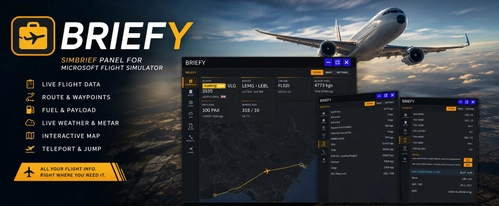
Briefy — The SimBrief Panel
Briefy is an in-game toolbar panel for Microsoft Flight Simulator providing direct access to your SimBrief Operational Flight Plan in the cockpit. It features a moving map, waypoint teleportation, live METAR and TAF weather data, and real-time in-sim weather information. The addon includes dashboards for flight and fuel planning, interactive route mapping, and multiple customization options. No external devices or browser switching required for flight planning and dispatch integration.
par craigybabyj
Auto Skip "Ready To Fly"
Auto "Ready To Fly" Skip for Microsoft Flight Simulator 2024 A lightweight quality-of-life mod for Microsoft Flight Simulator 2024 that automatically skips the “Ready to Fly” confirmation screen and takes you straight into the game.
par craigybabyj
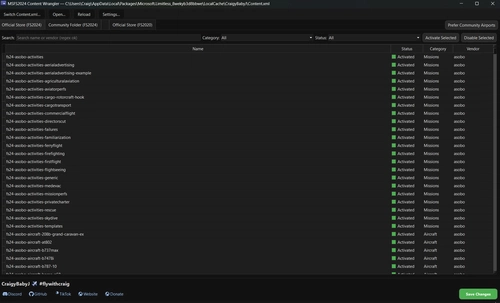
MFS2024 Content Wrangler
The MFS2024 Content Wrangler is a desktop application designed for managing add-ons in Microsoft Flight Simulator 2024. It provides an organized view of installed packages, complete with features to activate, disable, and filter content easily. Tailored for the Microsoft Store version of the simulator, the tool simplifies package management while ensuring safety through automatic backups and intelligent thumbnail handling.
par CraigyBabyJ
Connectez-vous pour participer à la discussion
Se connecterCommentaires(26)
6 months ago
5 months ago
6 months ago
Ce commentaire a été supprimé
6 months ago
P.S. I just noticed that these options are available into app. Thank you
6 months ago
If you’ve got any other ideas or tweaks, feel free to DM me or grab me on Discord anytime!
6 months ago
6 months ago
6 months ago
6 months ago
6 months ago
6 months ago
6 months ago
7 months ago
7 months ago
Developer responds to and fixes bugs and issues almost instantly and is constantly working to develop the app.
Easy to install and use and it is so much fun trying to constantly get a better score, given how many parameters the app tracks (TDZ, centerline, bank, crab angle, g force, fpm etc)
This app deserves much more recognition and I can't wait to see where this app goes in the future :D
7 months ago
7 months ago
Eine Live-Anzeige (HUD) ist aber bereits in Arbeit und wird bald kommen 👀
Sie wird Werte wie FPM, G-Kräfte, Ausrichtung, Windgeschwindigkeit und mehr in Echtzeit anzeigen.
Das Ganze ist optional, sodass du es z. B. für Touch-and-Go-Training aktivieren oder bei normalen Flügen ausgeschaltet lassen kannst.
Danke für den Vorschlag — wir freuen uns schon darauf, das Feature umzusetzen!
7 months ago
7 months ago
7 months ago
7 months ago
To open it, click the small ^ near the Windows clock, find the BeatMyLanding icon, then right-click it and choose link device or Open My Account. If you can’t see the tray icon at all, close BeatMyLanding in Task Manager and start it again. If you’re still stuck after that, let me know what you see and I’ll help further on discord if possible.