
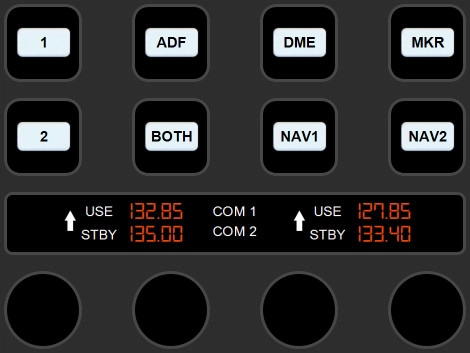
Description
This profile includes three pages for controlling the Radio, navigation and KAP 140 Autopilot unit. NOTE - This Profile is made for WBSim Cessna 152 MOD not standard 152.
WBSim mod can be found from their Discord Channel: https://discord.gg/kNZwteEbwr
MOD Installation guidance can be found from here: https://www.youtube.com/watch?v=GtgBjKci0X4
Installation & Requirements
1) Stream Deck+ and PilotsDeck plugin are required. PilotsDeck plugin can be installed from https://github.com/Fragtality/PilotsDeck
If PilotsDeck package installation does not include MobiFlight WASM and FSUIPC7 (as it should), please install them from:
https://github.com/MobiFlight/MobiFlight-WASM-Module
https://www.fsuipc.com/
2) Plugin is using font Digital-7, either install it from here or by downloading e.g. from https://www.1001fonts.com/digital-7-font.html. Click the font file and select Install.
3) Plugin is using also custom images for white and yellow buttons. Button images are included in the main ZIP package. Please copy the image files into Pilot's Deck folder: Users\YOUR_USER_NAME\AppData\Roaming\Elgato\StreamDeck\Plugins\com.extension.pilotsdeck.sdPlugin\Images\
4) At last import included profile WBSim 152 into Stream Deck app (e.g. by clicking the file)
Commentaires(11)
Connectez-vous pour participer à la discussion
Se connecterabout 1 month ago
about 1 year ago
about 1 year ago
about 1 year ago
I also updated same the time mic buttons to yellow. Hopefully you'll get the setup now fixed with these, and enjoy the profile. :)
about 1 year ago
about 1 year ago
about 1 year ago
about 1 year ago
Stream Deck+ profile to control WBSim Cessna 152 in MSFS 2020/2024
This add-on provides a Stream Deck+ profile specifically designed for controlling the WBSim Cessna 152 in Microsoft Flight Simulator 2020/2024. It features three customizable pages that allow users to operate the radio, navigation, and KAP 140 autopilot systems. The required PilotsDeck plugin and additional software installations are outlined for proper functionality. The profile also includes instructions for importing into the Stream Deck app.

More Information
Historique des versions
- Added missing button images into main package - Changed Mic 1 and 2 buttons to yellow
Similaires
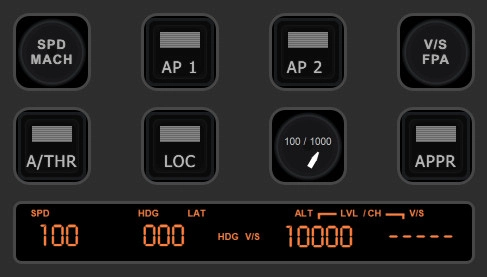
MSFS 2020/2024 - A320 Neo V2 Stream Deck+ Profile
This add-on provides a Stream Deck+ profile specifically designed for controlling the A320 Neo V2 in MSFS 2024. It features three pages that enable users to manage crucial aircraft functions such as Navigation Screen and Radar, Barometer settings, Autopilot, Landing Gear, and Brakes. The installation requires the Stream Deck+ and the PilotsDeck plugin, along with additional components like MobiFlight WASM and FSUIPC7 for full functionality. Users should also install the Digital-7 font for an optimized visual experience.
par aimoii
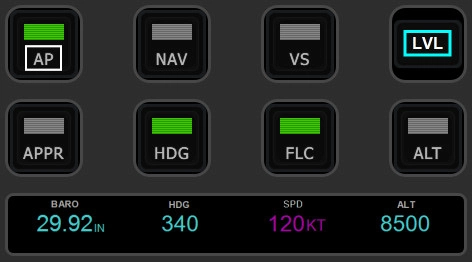
Stream Deck+ profile to control MSFS 2020/2024 Garmin G1000
This Stream Deck+ profile provides a comprehensive control system for the Garmin G1000 in Microsoft Flight Simulator 2020 and 2024, featuring three pages dedicated to Barometer, Autopilot, and Garmin G1000 PFD/MFD controls. It is compatible with all aircraft equipped with the Garmin G1000, although some functionalities may vary based on specific G1000 versions. To utilize this profile, users need a Stream Deck+, the PilotsDeck plugin, and associated modules such as MobiFlight WASM and FSUIPC7 for full functionality.
par aimoii
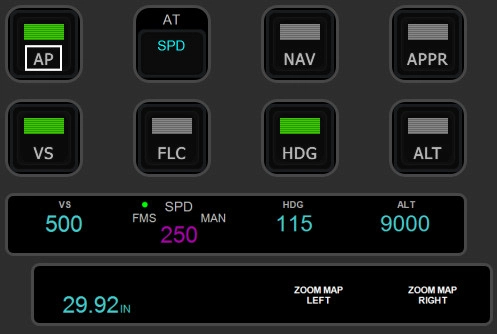
MSFS 2020/2024 - Cessna Citation Longitude Stream Deck+ Profile
This add-on provides a Stream Deck+ profile designed specifically for controlling the Cessna Citation Longitude in Microsoft Flight Simulator 2024. It features two pages for easy access to various functions, including barometer settings, autopilot controls, and MFD map zoom. Users will need the Stream Deck+ hardware and the PilotsDeck plugin to utilize this profile. Additional components such as MobiFlight WASM and FSUIPC7 may also be required for full functionality.
par aimoii
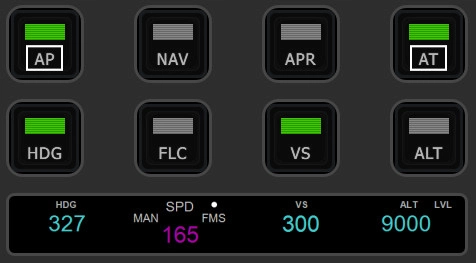
Stream Deck+ profile to control Cirrus Vision Jet G2 (MSFS 2024)
This add-on provides a Stream Deck+ profile specifically designed for the Cirrus Vision Jet G2 in Microsoft Flight Simulator 2024. It features two pages that allow users to control essential functions such as Barometer settings, Autopilot, and Garmin PFD & MFD screen controls. Users will need the Stream Deck+ and the PilotsDeck plugin to utilize this profile effectively. Installation of additional components, including MobiFlight WASM and FSUIPC7, may also be required for full functionality.
par aimoii
about 1 month ago